
How to Classify Software Application Components: 7 Methods

If you’re wondering how to classify software applications components, start by grouping each part of your application by what it does, where it sits in the architecture and how much the business depends on it. The seven most useful methods are by layer, function, reusability, deployment, criticality, source and business value. Think of a software application like a car. You can group its parts by system (engine, brakes, electrical), by who made them (factory or aftermarket) or by how critical they are (a brake pad matters more than a cup holder). Software works the same way. This guide shows you each classification method, how to apply it step by step and what it looks like on a real-world style example. What Are Software Application Components? Software application components are the individual building blocks that make up an application, such as a login module, a payment service or a database access layer. The C4 model defines a component as “a grouping of related functionality encapsulated behind a well-defined interface.” Each one does a specific job and talks to other components through that interface. Common examples include: Software component classification is simply the process of sorting these parts into meaningful groups so teams can understand, maintain and secure them. Software Application vs Component A software application is a complete program that users run to get something done. A component is one part inside that application. In the C4 model, applications and data stores are called containers, and each container holds several components. A web store is an application, while its shopping cart service is a component. Software Application Software Component What it is A complete, runnable program A part with a specific job Runs on its own? Yes Usually no, it runs inside an application Example An online store, a mobile banking app Cart service, login module, payment connector Who uses it End users Other components and developers The line can blur. A microservice is technically its own small application, but it often acts as one component in a larger system. Why Classify Software Components? Classifying software components makes complex applications easier to understand, maintain and secure. It shows which parts are critical, which can be reused, which depend on outside code and which need updating. Without clear categories, teams waste time hunting for code, duplicate work and miss risky dependencies until something breaks. Key benefits include: 7 Ways to Classify Software Application Components There’s no single correct way to classify components. The best approach combines several methods, each answering a different question. Below are seven proven ways to classify software application components, from technical structure to business value. Most teams start with layer and function, then add criticality, source and business value as their needs grow. 1. By Architectural Layer This is the most common method. It groups components by where they sit in a layered architecture: 2. By Function This method groups components by the job they perform, regardless of layer. Typical groups are user management, payments, reporting, notifications, search and security. Functional grouping helps product and business teams understand the system without reading code. 3. By Reusability Here you ask how widely a component can be used: 4. By Deployment Model This method looks at how and where components run. In a monolith, components are deployed together as one unit. In microservices, components are deployed as separate services. You can also tag components as client-side (running in a browser or device) or server-side. 5. By Criticality Criticality ranks components by how much the business depends on them: 6. By Source and Ownership This method separates components by where they came from: custom code built by your team, open source libraries or commercial third-party software. It matters for licensing and security. A Software Bill of Materials (SBOM) records these components. CISA describes an SBOM as “a nested inventory, a list of ingredients that make up software components.” 7. By Business Value This method classifies at the application level using Gartner’s Pace-Layered Application Strategy: For portfolio decisions, many teams also use Gartner’s TIME model to tag applications as Tolerate, Invest, Migrate or Eliminate, based on technical fit and business fit. Classification Methods Compared Each classification method answers a different question, so the right mix depends on your goal. Layer and function help developers understand structure. Criticality and source help with risk and security. Business value helps leaders decide where to invest. Use the table below to pick the methods that match your project. Method Question It Answers Best For Architectural layer Where does it sit? Developers and architects Function What does it do? Product and business teams Reusability Can we reuse it? Reducing duplicate work Deployment model How and where does it run? DevOps and scaling Criticality How important is it? Testing and incident response Source and ownership Who built it? Security and licensing Business value Is it worth investing in? IT leaders and budgeting How to Classify Components Step by Step To classify software application components, list every component, define what each one does, then tag it with the methods you’ve chosen, such as layer, function and criticality. Next, map dependencies and record everything in one shared place. The whole process works best as a team exercise with both developers and business owners. Example: Classifying an E-Commerce Application Here’s an illustrative example of how to classify the main components of a simple online store. Each component gets several labels at once, which is what makes classification useful. The same component can be core to the business, built in-house and part of the business logic layer, all at the same time. Component Layer Function Criticality Source Product catalog UI Presentation Browsing Core Custom Shopping cart service Business logic Ordering Core Custom Payment connector Integration Payments Core Third-party SDK Order database access Data access Data storage Core Custom Email notifications Integration Notifications Supporting Third-party service Product reviews Presentation Engagement Optional Open source plugin Logging library Utility Monitoring Supporting Open source This example is for illustration only. Your own labels will depend
Best Coding Software in 2026: 10 Editors and IDEs Compared

Compare the best coding software in 2026, from VS Code and Visual Studio to IntelliJ IDEA and Sublime Text, with verified pricing, platforms and best uses.
How to Choose the Right Custom Software Development Partner

Learn how to choose the right custom software development partner in 9 steps, with questions to ask, pricing models, red flags, a scorecard and IP tips.
What Is Rapid Prototyping? Process, Examples and AI Tools

What is rapid prototyping? Learn how the process works, fidelity levels, methods for software and physical products, real examples and how AI speeds it up.
Enterprise Application Platform: What It Is and How to Choose

What is an enterprise application platform? Learn the main types, key features, examples of enterprise applications, how integration works and how to choose one.
Multitenant Database Containers Explained: How They Work in SAP HANA, Oracle and Kubernetes
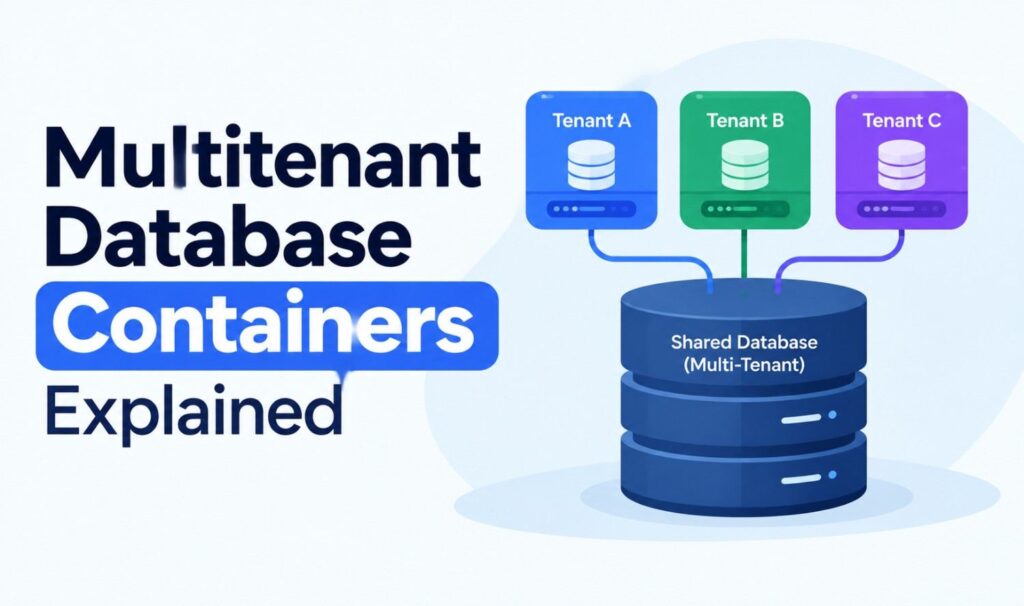
What are multitenant database containers? Learn how they work in SAP HANA and Oracle, how SaaS tenancy models compare, and how containerized databases fit in.
Warmup Cache Request: How to Preload Your Cache Before Visitors Arrive

A warmup cache request preloads pages before visitors arrive. Learn when you need it, how to send one, how to confirm a cache HIT, and safe setups for WordPress.