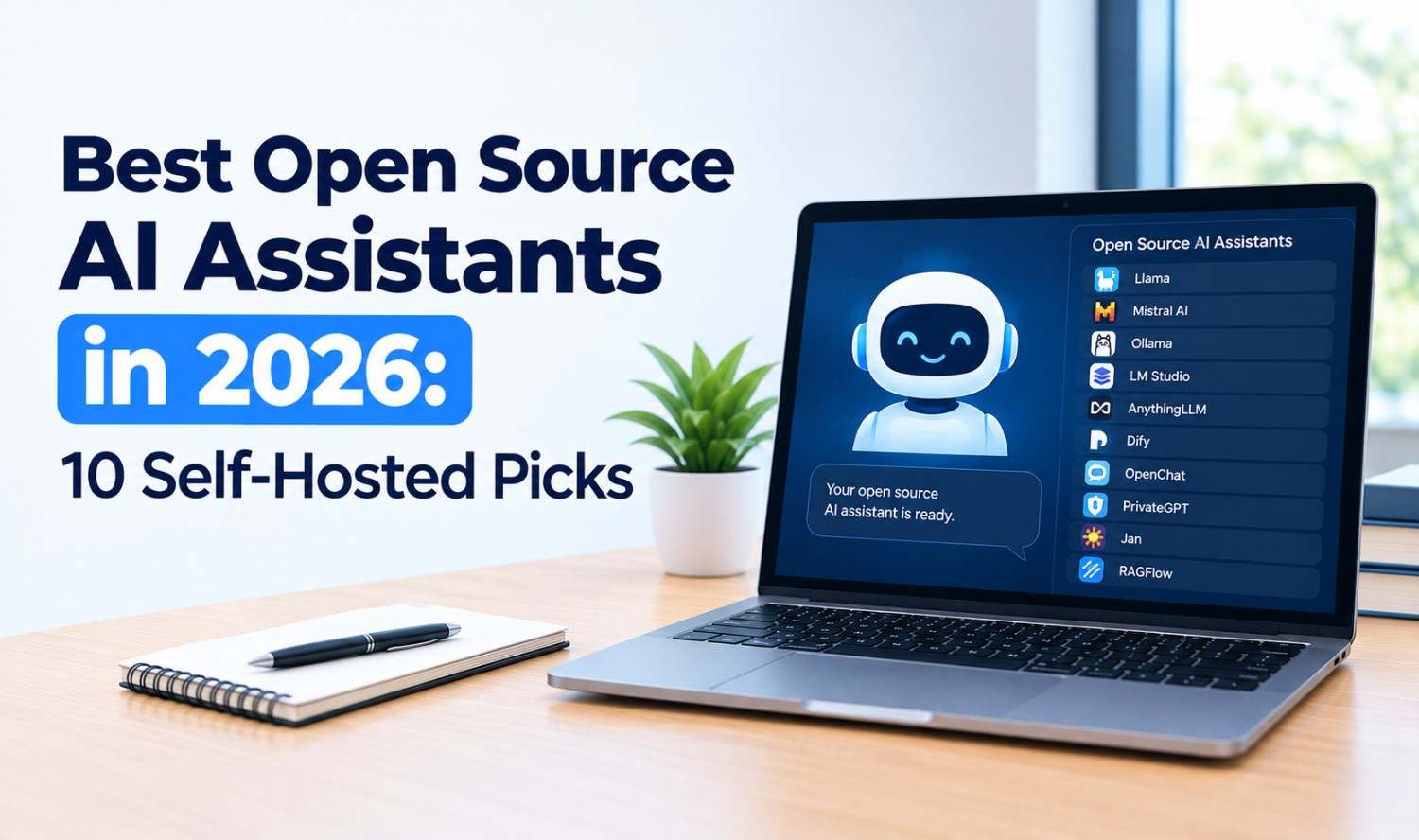

An open source AI assistant is an AI helper whose code is public, so you can run it on your own computer or server, inspect how it works and choose which AI model powers it. The best options in 2026 include OpenClaw for taking actions, Jan for fully offline chat and AnythingLLM for chatting with your documents.
Here’s the honest truth: “open source” doesn’t automatically mean private or safe. Some tools run entirely on your laptop. Others still send your prompts to a cloud model unless you change the settings. This guide compares 10 open source AI assistants you can self-host, explains what each one is actually good at, and shows you what to watch out for before you give an AI access to your files or accounts. Details were checked on each project’s official GitHub page or website in October 2026.
Key Takeaways
- Best for actions: OpenClaw connects AI to your chat apps, files and browser.
- Best for offline chat: Jan runs 100% offline on your computer.
- Best for documents: AnythingLLM turns your files into a private knowledge base.
- Check the license: MIT and Apache are permissive. AGPL and custom licenses have extra rules.
- Lock it down: Assistants that act on your behalf need sandboxing and strict permissions.
What Is an Open Source AI Assistant?
An open source AI assistant is software that lets you chat with an AI, search your own data or automate tasks, with source code anyone can read and modify. You can usually self-host it, connect it to local or cloud models, and keep control over where your data goes. That control is the main reason people choose open source.
Why go open source instead of using ChatGPT or another hosted assistant?
- Privacy: Run everything on your own hardware, so your data never has to leave it.
- Choice of models: Switch between local models and cloud APIs.
- No lock-in: You can keep using the software even if a company changes its plans.
- Customization: Add tools, plugins or your own features.
- Cost control: The software is free. You pay only for hardware or model usage.
The tradeoff is setup. You’ll usually need to install software, pick a model and handle updates yourself.
AI Assistants vs Model Runners
Not every open source AI tool is an assistant. Model runners like Ollama download and run AI models on your machine. Chat interfaces like Open WebUI give those models a friendly front end. Action assistants like OpenClaw go further and can run commands, use apps and complete tasks. Knowing which type you need saves a lot of trial and error.
| Type | What It Does | Examples |
|---|---|---|
| Model runner | Downloads and runs AI models locally | Ollama |
| Chat interface | ChatGPT-style app for local or cloud models | Jan, Open WebUI, LibreChat, LobeHub, PyGPT |
| Knowledge assistant | Chats with your documents and notes | AnythingLLM, Khoj |
| Action assistant | Takes actions across apps, files and the web | OpenClaw, Leon |
| Voice assistant | Responds to spoken commands | Home Assistant Assist |
Many tools combine types. A common setup is Ollama running the model, with Open WebUI or AnythingLLM on top.
Best Open Source AI Assistants at a Glance
The best open source AI assistant depends on what you want it to do. OpenClaw is the most capable at taking actions. Jan is the simplest way to chat with AI offline. AnythingLLM and Khoj are strongest for your own documents. Open WebUI and LibreChat are popular self-hosted ChatGPT alternatives for teams.
| Assistant | Type | Best For | Runs On | License |
|---|---|---|---|---|
| OpenClaw | Action assistant | Doing tasks through chat apps | macOS, Windows, Linux, iOS, Android | MIT |
| Jan | Chat interface | 100% offline chat | Windows, macOS, Linux | Apache 2.0 |
| AnythingLLM | Knowledge assistant | Chatting with documents | Mac, Windows, Linux, Docker | MIT |
| Open WebUI | Chat interface | Self-hosted ChatGPT-style UI | Self-hosted (server or PC) | Open WebUI License |
| LibreChat | Chat interface | One interface for many AI providers | Self-hosted, Docker | MIT |
| Khoj | Knowledge assistant | A personal “second brain” | Web, desktop, phone, Obsidian, Emacs | AGPL-3.0 |
| Leon | Action assistant | Developers who want to tinker | Self-hosted | MIT |
| LobeHub | Chat and agents | Managing a team of AI agents | Docker, Vercel | Apache 2.0 |
| PyGPT | Desktop assistant | Many models in one desktop app | Linux, Windows, Mac | MIT |
| Home Assistant Assist | Voice assistant | Private smart home voice control | Your own hardware | Apache 2.0 |
The 10 Best Open Source AI Assistants
Each entry below covers what the assistant does, who it’s best for, where it runs, its license and the main thing to watch out for. The list starts with the most capable action assistant, then moves through offline chat, document tools, team interfaces and finally voice control.
1. OpenClaw
OpenClaw calls itself “the AI that really does things.” It runs as a gateway on your machine and lets you talk to an AI agent through Discord, iMessage, Slack, Teams, Telegram, WhatsApp and 20+ other channels. The agent can work with your files, scripts and browser. With 393,000 stars on its GitHub repository, it has drawn a huge developer following.
- Best for: People who want a 24/7 assistant that actually completes tasks.
- Runs on: macOS, Windows and Linux, plus iOS and Android apps.
- License: MIT.
- Watch out for: Tools run on your host machine unless you set up sandboxing. Read the security guide first.
2. Jan
Jan describes itself as “an open source alternative to ChatGPT that runs 100% offline on your computer.” It’s a polished desktop app that’s easy to set up, even if you’ve never run a local model.
- Best for: Private, offline chat on a personal computer.
- Runs on: Windows, macOS and Linux.
- License: Apache 2.0.
- Watch out for: It’s mainly a chat app, not an assistant that takes actions.
3. AnythingLLM
AnythingLLM is an all-in-one app for building a private, ChatGPT-style assistant over your own documents. It includes a built-in engine for local models, a no-code agent builder and scheduled tasks.
- Best for: Teams and individuals who want to chat with their files.
- Runs on: Desktop app for Mac, Windows and Linux, or Docker for multi-user setups.
- License: MIT.
- Watch out for: Multi-user permissions and the embeddable chat widget require the Docker version.
4. Open WebUI
Open WebUI is a user-friendly, self-hosted interface that works with Ollama and any OpenAI-compatible API. It’s built to run entirely offline, which makes it a strong fit for private team setups.
- Best for: Teams running local models on a shared server.
- Runs on: Self-hosted on a server or PC.
- License: Open WebUI License, which requires keeping the Open WebUI branding.
- Watch out for: Its custom license isn’t a standard open source license, so check it before rebranding or reselling.
5. LibreChat
LibreChat “unifies all major AI providers in a single, privacy-focused interface.” It supports Claude, OpenAI, Google, AWS Bedrock, Ollama, Mistral, DeepSeek and more, along with no-code agents and reusable Skills.
- Best for: Teams that want one chat interface for many AI models.
- Runs on: Self-hosted, locally or in the cloud, with Docker Compose.
- License: MIT.
- Watch out for: Setup takes more technical work than a desktop app.
6. Khoj
Khoj calls itself “your AI second brain.” It searches and chats with your notes and documents, and can use local models like Llama, Qwen and Mistral or cloud models like GPT, Claude and Gemini.
- Best for: Note-takers and researchers, especially Obsidian and Emacs users.
- Runs on: Web, desktop, phone, Obsidian, Emacs and WhatsApp. Self-hostable with Docker.
- License: AGPL-3.0.
- Watch out for: AGPL has extra obligations if you modify it and offer it as a service.
7. Leon
Leon is “your open-source personal AI assistant,” a project that started in 2017. Its new 2.0 version is being built around AI agents.
- Best for: Developers who enjoy building and customizing their own assistant.
- Runs on: Self-hosted.
- License: MIT.
- Watch out for: Version 2.0 is still a developer preview, so expect rough edges.
8. LobeHub
LobeHub focuses on managing a team of AI agents that can run on schedules and work on shared projects. You can deploy your own instance in minutes.
- Best for: Users who want a polished interface for multiple agents.
- Runs on: Docker, Vercel or other cloud hosts.
- License: Apache 2.0, per its repository.
- Watch out for: One-click cloud deployments require an OpenAI API key.
9. PyGPT
PyGPT is an “all-in-one desktop AI assistant” that works with OpenAI, Gemini, Claude, Grok, DeepSeek and local Ollama models. It includes voice input and output, several agent modes and a node-based agent builder.
- Best for: Power users who want many models and features in one desktop app.
- Runs on: Linux, Windows and Mac.
- License: MIT.
- Watch out for: There’s no ready-made Mac binary, so Mac users install it from source or PyPI.
10. Home Assistant Assist
Assist is “the voice assistant built into Home Assistant,” the open source home automation platform. It controls your smart home with natural language and “can run fully on your own hardware, so your voice commands stay private.”
- Best for: An open source voice assistant for smart home control.
- Runs on: Your own hardware, with optional Home Assistant voice devices.
- License: Apache 2.0 (Home Assistant core).
- Watch out for: It’s built for the smart home, not general research or writing.
How to Run an Open Source AI Assistant Locally
To run an open source AI assistant locally, install a model runner like Ollama, download a model that fits your hardware, then connect an assistant app such as Jan, Open WebUI or AnythingLLM. Some apps, like Jan and AnythingLLM, include their own local engine, so you can skip the separate runner.
A simple path:
- Install a runner: Ollama runs models like gpt-oss, Qwen, Gemma and DeepSeek on macOS, Windows, Linux or Docker.
- Pick a model: Smaller models run on laptops. Larger models need more memory or a GPU.
- Add an interface: Connect Open WebUI, AnythingLLM or LibreChat to the runner.
- Test offline: Turn off your internet connection and check that everything still works.
- Add cloud models if needed: Use API keys only for tasks local models can’t handle well.
Local models are private, but they may be slower or less capable than the top cloud models. Many people mix both.
Open Source AI Coding Assistants
If you need an open source AI assistant for coding, look at coding-specific tools rather than general chat apps. Popular open source coding agents include Cline, a free VS Code extension where you pay only for model usage, along with other open source projects like OpenCode and Aider.
Coding assistants are a different category, with their own features like file editing, terminal commands and Git support. For a full comparison of AI coding tools, including both open source and paid options, see our guide to the best AI tools for coding.
Are Open Source AI Assistants Safe?
Open source AI assistants can be safe, but the risk grows with the access you give them. A chat app that runs offline carries little risk. An assistant that reads your email, runs shell commands or controls your browser can cause real damage if it’s tricked by a malicious message or misconfigured.
The OWASP Top 10 for LLM Applications lists the main risks, including prompt injection, sensitive information disclosure, excessive agency and unbounded consumption. OpenClaw’s own documentation tells users to “treat inbound messages as untrusted input.”
A practical safety checklist:
- Start sandboxed: Run action assistants in a container or separate user account.
- Limit permissions: Give access only to the folders, apps and accounts the assistant needs.
- Require approval: Turn on confirmations before the assistant sends, deletes or buys anything.
- Protect API keys: Store keys securely and set spending limits.
- Keep it updated: Install security updates promptly.
- Don’t expose it publicly: Avoid putting a self-hosted assistant on the open internet without authentication.
How to Choose an Open Source AI Assistant
To choose an open source AI assistant, start with your main goal, then check where it runs, which models it supports and what its license allows. Privacy-first users should pick a fully offline tool. Teams should look for multi-user support. Anyone giving an assistant real access should prioritize sandboxing and approval controls.
Quick picks by goal:
- Offline, private chat: Jan.
- Chat with documents: AnythingLLM or Khoj.
- Team ChatGPT alternative: Open WebUI or LibreChat.
- An assistant that takes actions: OpenClaw.
- Voice control at home: Home Assistant Assist.
- Many models in one app: PyGPT or LibreChat.
A quick note on licenses. MIT and Apache 2.0 are permissive, so you can use and modify the software freely. AGPL-3.0 requires you to share changes if you offer a modified version as a service. Custom licenses, like Open WebUI’s, have their own rules, so read them before commercial use.
If you need an assistant that connects to your business systems, follows your rules and runs securely at scale, a custom AI agent may be a better fit than adapting an open source project yourself.
Frequently Asked Questions
What is the best open source AI assistant?
It depends on your goal. OpenClaw is the best for taking actions through chat apps, Jan is best for offline chat, and AnythingLLM is best for chatting with your documents.
Can an open source AI assistant work offline?
Yes. Jan runs 100% offline, and Open WebUI is built to run entirely offline. You’ll need a local model, which you can run with Ollama or a built-in engine.
Is OpenClaw safe to use?
It can be, with care. OpenClaw runs tools on your host machine unless you configure sandboxing, and its docs say to treat inbound messages as untrusted. Start in a sandbox with limited permissions.
Is there an open source alternative to ChatGPT?
Yes. Jan describes itself as an open source ChatGPT alternative, and Open WebUI, LibreChat and LobeHub offer self-hosted ChatGPT-style interfaces.
Which open source AI assistants run on Windows?
OpenClaw, Jan, AnythingLLM and PyGPT all run on Windows. Open WebUI and LibreChat are self-hosted, so they run wherever you host them.
What is the best open source voice assistant?
Home Assistant Assist is a strong choice for smart home control. It’s built into Home Assistant and can run fully on your own hardware.
Are open source AI assistants really free?
The software is free, but you may pay for hardware to run local models or for cloud AI APIs if you connect them.