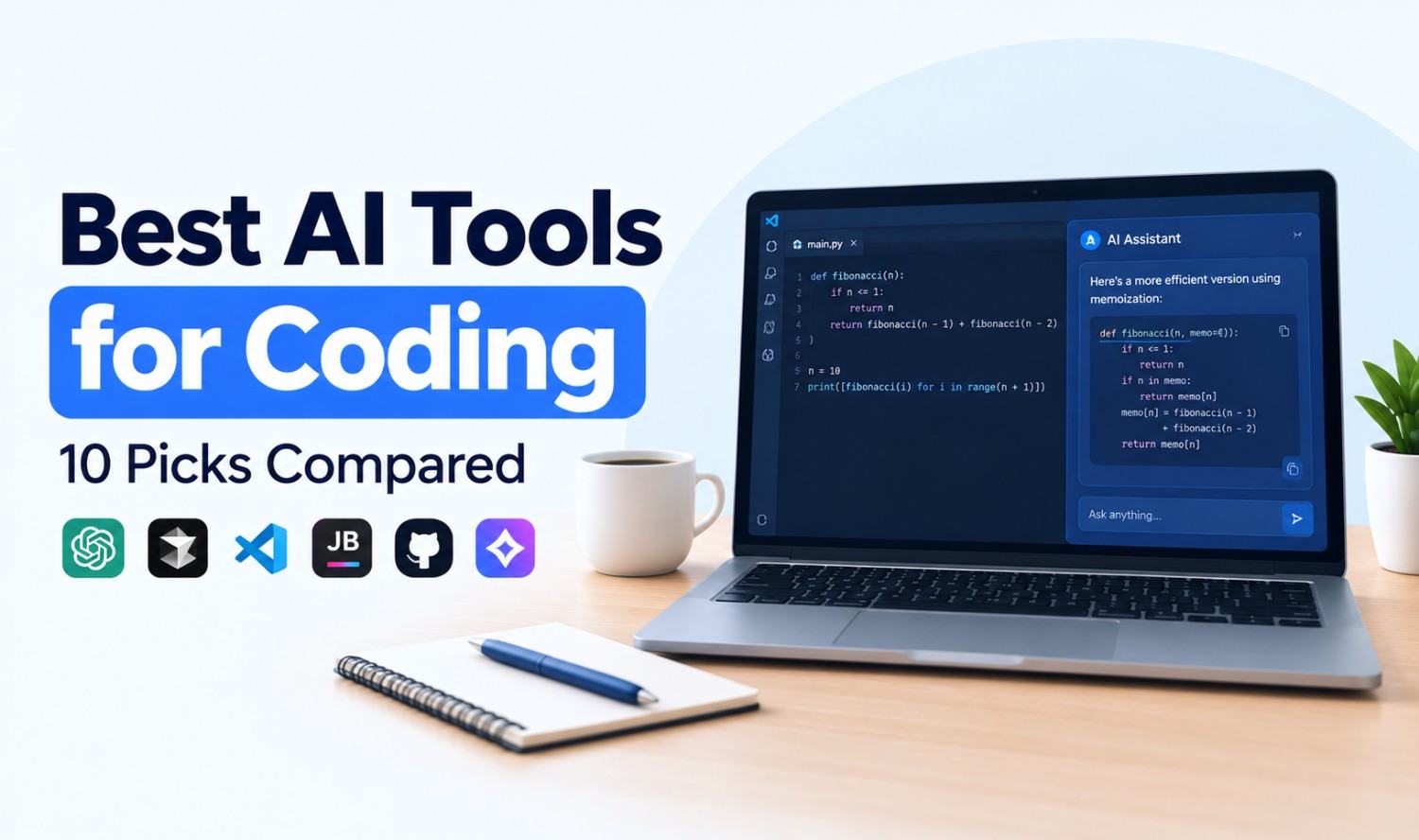

AI tools for coding are apps that use large language models to suggest, write, explain, test and fix code. Some finish lines as you type, while others work as agents that plan and complete whole tasks.
This guide compares 10 popular options, explains the main types, and covers what research says about speed and safety. All prices were checked on official vendor pages in October 2026.
Key Takeaways
- Most have free plans: Nine of the 10 tools here offer a free tier or a free open source version.
- Four main types: Editor assistants, AI-powered IDEs, terminal agents and app builders.
- Paid plans start low: Individual plans begin at $8 to $20 a month.
- Speed gains vary: Research shows results depend on the developer and the task.
What Are AI Tools for Coding?
AI tools for coding are software assistants that help developers write and maintain code using natural language. You describe what you want, and the tool suggests code, explains errors, writes tests or makes changes across a project. They work inside code editors, terminals, browsers and chat apps, and they support most popular programming languages.
In the Stack Overflow 2025 Developer Survey, 84% of respondents said they use or plan to use AI tools in their development process, and 47.1% said they use them daily.
Types of AI Coding Tools
AI coding tools fall into four main types: editor assistants, AI-powered IDEs, agentic coding tools and app builders. The type matters more than the brand, because it decides how much control you keep. Editor assistants suggest code as you type, while agents and app builders can complete whole tasks on their own.
| Type | What It Does | Examples |
|---|---|---|
| Editor assistant | Adds autocomplete and chat to your existing editor | GitHub Copilot, Cline, Amazon Q Developer |
| AI-powered IDE | A full code editor built around AI | Cursor, Devin Desktop, Kiro, Google Antigravity |
| Agentic coding tool | Plans and completes multi-step tasks from a terminal or app | Claude Code, OpenAI Codex |
| App builder | Builds and hosts working apps from a prompt | Replit |
Best AI Tools for Coding at a Glance
The best AI for coding depends on how you work. GitHub Copilot suits most developers who want to stay in their current editor. Cursor suits people who want an AI-first editor. Claude Code and Codex suit developers who want agents to do larger tasks. Replit suits beginners who want to build apps without setup.
| Tool | Type | Best For | Free Plan | Paid From (Monthly) |
|---|---|---|---|---|
| GitHub Copilot | Editor assistant | Most developers | Yes | $10 |
| Cursor | AI-powered IDE | AI-first editing | Yes | $8 |
| Claude Code | Agentic tool | Large, multi-file tasks | No | $20 ($17 annual) |
| OpenAI Codex | Agentic tool | ChatGPT users | Limited | $8 |
| Google Antigravity | AI-powered IDE | Free agent workflows | Yes | Business from $30/seat |
| Kiro | AI-powered IDE | Spec-driven projects on AWS | Yes | $20 |
| Devin Desktop | AI-powered IDE | Unlimited free autocomplete | Yes | $20 |
| Replit | App builder | Beginners | Yes | $20 ($18 annual) |
| Cline | Editor assistant | Open source, any model | Yes | Pay for model usage |
| Amazon Q Developer | Editor assistant | AWS teams | Yes | $19/user |
Prices are as of October 2026 and can change.
The 10 Best AI Tools for Coding
The 10 tools below cover every major type, from simple autocomplete to agents that can finish a feature on their own. Each entry explains what the tool does, who it suits, what it costs and its main limitation. They’re listed roughly from the most widely used editor assistants to more specialized options.
1. GitHub Copilot
GitHub Copilot adds code completions, chat and an agent mode to editors such as VS Code and JetBrains IDEs.
- Best for: Developers and teams who already use GitHub.
- Pricing: Free (2,000 completions a month), Pro $10, Pro+ $39, Max $100. Business is $19 per user and Enterprise $39 per user. Verified students get it free.
- Limitation: The free plan’s chat and agent usage is limited.
2. Cursor
Cursor is an AI-powered code editor based on VS Code. It offers autocomplete, chat and agents that can edit many files at once.
- Best for: Developers who want AI built into every part of the editor.
- Pricing: Free, Plus $8, Premium $30, Super $100, Ultra $200. Teams start at $30 per user.
- Limitation: The free plan has limited agent and chat requests.
3. Claude Code
Claude Code is Anthropic’s agentic coding tool. It works in your terminal and IDE, reads your codebase, and can plan changes, edit files and run commands with your approval.
- Best for: Large, multi-file tasks and developers comfortable working with agents.
- Pricing: Included in all paid Claude plans. Pro is $17 a month billed annually or $20 monthly, and Max starts at $100.
- Limitation: It isn’t available on Claude’s free plan.
4. OpenAI Codex
Codex is OpenAI’s coding agent, available on the web, in a CLI, in an IDE extension and in the desktop app. It can take on coding tasks and propose changes for you to review.
- Best for: Teams and individuals who already pay for ChatGPT.
- Pricing: Limited access on Free, then Go $8, Plus $20 and Pro from $100. Business is $20 per user billed annually.
- Limitation: Free and Go plans have limited Codex access.
5. Google Antigravity
Antigravity is Google’s agent-focused platform, with an IDE, extensions and a CLI. In June 2026 it replaced the Gemini CLI and Gemini Code Assist extensions for unpaid users.
- Best for: Individuals who want a capable free agent tool.
- Pricing: Free for individuals with weekly rate limits and unlimited Tab completions. Business plans start at $30 per seat. Teams can also choose Gemini Code Assist Standard ($19 per user annually) or Enterprise ($45).
- Limitation: Free usage is capped by weekly limits.
6. Kiro
Kiro is an agentic IDE from AWS that turns prompts into specs and tasks before writing code. It supports agent hooks and AWS sign-in.
- Best for: Structured projects that need a plan before code.
- Pricing: Free (50 credits), Pro $20, Pro+ $40, Pro Max $100 and Power $200.
- Limitation: Credits run out quickly on large agent tasks.
7. Devin Desktop (Formerly Windsurf)
Devin Desktop is an AI code editor from the makers of the Devin agent. The Windsurf website now redirects to Devin.
- Best for: Developers who want unlimited free autocomplete.
- Pricing: Free (unlimited Tab completions and inline edits), Pro $20, Max $200. Teams cost $80 a month plus $40 per developer seat.
- Limitation: The free plan has only a light agent quota.
8. Replit
Replit is a browser-based platform where an AI agent builds, runs and publishes apps from a prompt.
- Best for: Beginners and anyone building a quick prototype.
- Pricing: Free Starter plan with daily Agent credits and one published app. Core is $20 a month ($18 annually) and Pro $100 ($90 annually).
- Limitation: The free app’s link expires after 30 days and shows a Replit badge.
If you’re testing product ideas, our guide to rapid prototyping explains how tools like Replit fit into the process.
9. Cline
Cline is a free, open source coding agent for VS Code and the command line. You bring your own API key, so you choose the AI model.
- Best for: Developers who want open source control and model choice.
- Pricing: The extension is free. You pay only for AI model usage. Enterprise plans add JetBrains support and SSO.
- Limitation: Model costs can add up with heavy use.
10. Amazon Q Developer
Amazon Q Developer is AWS’s coding assistant, with code suggestions, agentic tasks, security scans and Java and .NET upgrades.
- Best for: Teams building on AWS.
- Pricing: Free (50 agentic requests a month), Pro $19 per user.
- Limitation: AWS will discontinue support for its IDE plugins on April 30, 2027, and points users to Kiro.
Best Free AI Tools for Coding
The best free AI tools for coding are GitHub Copilot Free, Google Antigravity, Devin Desktop, Cline and Replit’s Starter plan. Copilot Free gives 2,000 completions a month. Antigravity and Devin Desktop offer unlimited Tab completions. Cline is fully open source, though you pay for the AI model you connect.
Free tiers suit learning, side projects and testing tools before buying team licenses. They usually limit agent requests, premium models or weekly usage, so heavy daily users often need a paid plan.
Do AI Coding Tools Make Developers Faster?
AI coding tools can make developers faster, but results vary by person, task and tool. A 2025 study by METR found experienced developers took 19% longer with AI. METR’s 2026 follow-up suggested speedups with newer tools but called its own data an unreliable signal, so treat any single number with caution.
The original study tracked 16 experienced open source developers on 246 real tasks. Afterward, they still believed AI had sped them up by about 20%.
In February 2026, METR published a follow-up with late-2025 tools. It covered 57 developers and over 800 tasks, and estimated speedups of about 4% for new participants and 18% for returning ones.
Trust is also an issue. In the Stack Overflow 2025 survey, 46% of respondents distrusted the accuracy of AI tools, while only 33% trusted it.
Are AI Coding Tools Safe for Private Code?
AI coding tools can be safe for private code when you use business or enterprise plans with clear data controls. The main risks are code being sent to outside servers, insecure suggestions, and leaked secrets such as API keys. Read each vendor’s data policy and keep human review in place.
Practical safeguards:
- Use business plans: These usually include admin controls and stricter data terms.
- Check data policies: Confirm whether your code is stored or used for training.
- Keep secrets out: Never paste passwords or API keys into prompts.
- Review and test: Run code review, tests and security scans on AI output.
- Follow a framework: NIST’s Secure Software Development Framework (SP 800-218) sets out secure coding practices, and SP 800-218A adds guidance for generative AI.
How to Choose an AI Tool for Coding
To choose an AI tool for coding, start with where you work and how much control you want. Developers who want to stay in their editor should start with an assistant. People who want AI to handle larger tasks should try an agent. Beginners should pick a browser-based app builder.
A quick guide:
- Beginner: Replit or Copilot Free.
- Solo developer: Cursor, Copilot Pro or Antigravity.
- Large codebase tasks: Claude Code or Codex.
- Open source preference: Cline.
- AWS team: Kiro or Amazon Q Developer.
- Company team: Copilot Business, Cursor Teams or Gemini Code Assist.
Test two or three tools on a real task from your own project before you commit.
When Off-the-Shelf Tools Aren’t Enough
Off-the-shelf AI tools for coding help individual developers write code faster, but they don’t run your business processes. When a company needs an AI agent that works with its own data, internal systems and approval rules, a custom build usually fits better than another seat license.
Typical signs include connecting to your CRM or private databases, automating a daily multi-step workflow, or needing audit logs and strict permissions.
Frequently Asked Questions
What is the best AI for coding?
There’s no single best AI for coding. GitHub Copilot is a strong default for most developers, Cursor suits AI-first editing, and Claude Code or Codex suit larger agent tasks. Test a few on your own code.
Which AI coding tools are free?
GitHub Copilot, Cursor, Google Antigravity, Devin Desktop, Kiro, Replit, Amazon Q Developer and Cline all have free options, and Codex has limited free access. Free plans limit agent requests or usage, and Cline requires you to pay for the AI model you connect.
What is the difference between Copilot and Cursor?
GitHub Copilot adds AI to editors you already use, such as VS Code and JetBrains. Cursor is a separate code editor built around AI. Both offer completions, chat and agents.
What are agentic coding tools?
Agentic coding tools are AI assistants that complete multi-step tasks on their own. They can plan a change, edit several files and run commands, usually with your approval. Claude Code and OpenAI Codex are examples.
Can AI coding tools replace programmers?
No. AI coding tools speed up some tasks, but their output still needs review. In the Stack Overflow 2025 survey, 66% of respondents named their top frustration as “AI solutions that are almost right, but not quite.”
Are AI coding tools safe for company code?
They can be, with business plans, clear data policies and code review. Keep passwords and API keys out of prompts, and scan AI-generated code for security issues before it ships.
What is the best AI-powered IDE?
Popular AI-powered IDEs include Cursor, Devin Desktop, Kiro and Google Antigravity. Antigravity and Devin Desktop both include unlimited Tab completions on their free plans.