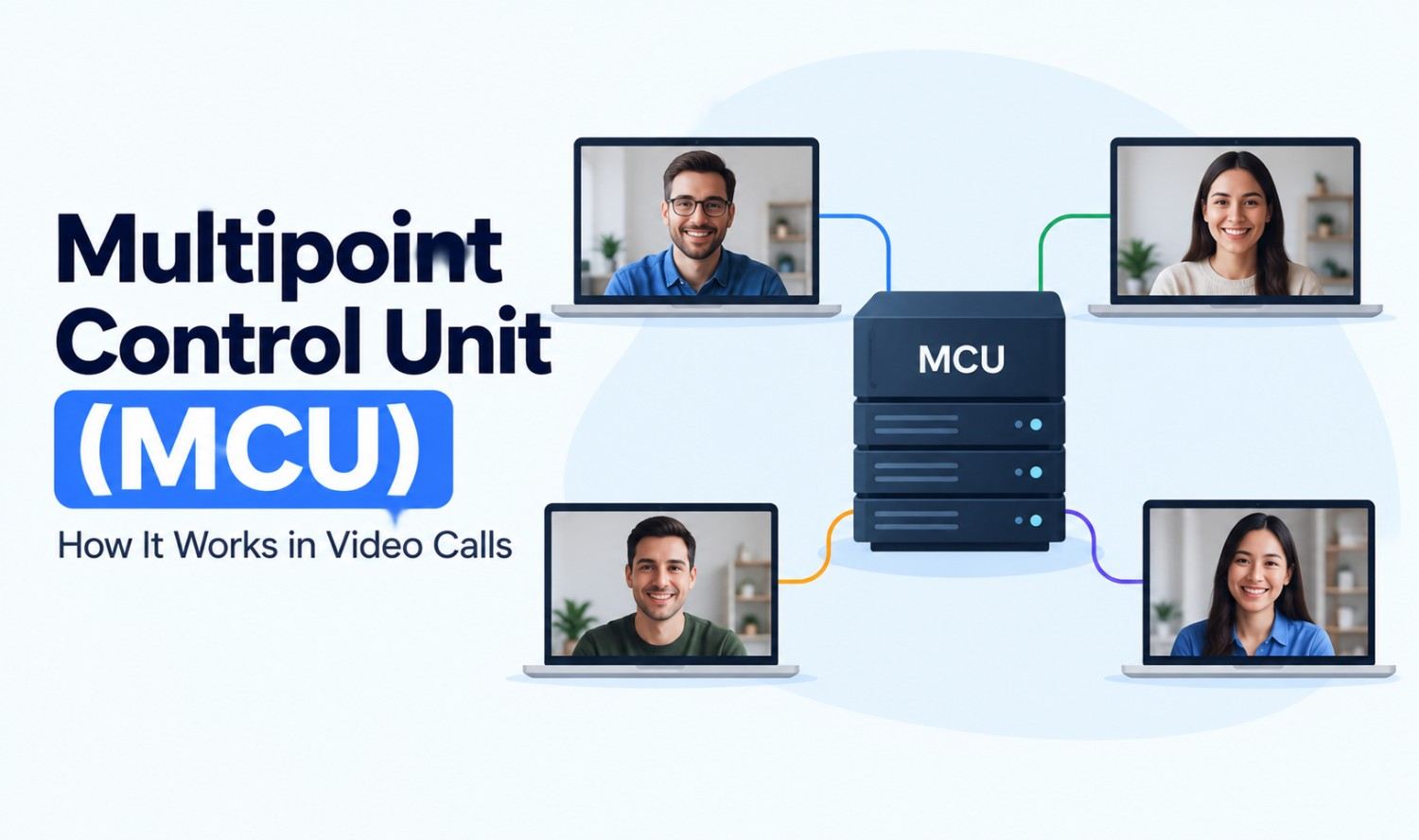

A multipoint control unit (MCU) is a server or device that connects three or more participants in one video conference. It receives audio and video from every participant, mixes the streams into a single combined picture and sound, and sends that one stream back to each person. This lets many endpoints meet together, even if they use different devices or connection speeds.
For decades, the MCU was the core of every group video call. Today, software and cloud platforms have changed how it’s built and when it’s needed. This guide explains what a multipoint control unit is, how it works, its main functions and standards, how it compares with SFU and mesh designs, and where it still fits.
What Is a Multipoint Control Unit (MCU)?
A multipoint control unit is the central component that makes multi-party video conferencing possible. Two video endpoints can call each other directly, but three or more need something in the middle to manage the call. The MCU is that middle point: it connects every participant, processes their media and returns a combined result.
In the H.323 family of video conferencing standards, an MCU is made up of two parts:
| Component | What It Does |
|---|---|
| Multipoint controller (MC) | Handles call setup, checks what each endpoint can support and negotiates settings |
| Multipoint processor (MP) | Mixes, switches and processes the audio, video and data streams |
An MCU always includes a controller and can include one or more processors. The controller manages the conversation between devices, while the processors do the heavy media work.
The ITU even has a standard named for these devices. ITU-T H.231 is titled “Multipoint control units for audiovisual systems using digital channels up to 1920 kbit/s.”
How Does a Multipoint Control Unit Work?
A multipoint control unit works by collecting streams from every participant, processing them in one central place and sending each participant a single combined stream. Instead of every device receiving every other person’s video, each device sends one stream up and receives one stream back. The MCU does the hard work in the middle.
The process in four steps:
- Connect: Each endpoint, such as a room system, laptop or phone, joins the conference through the MCU. The controller agrees on formats each device supports.
- Receive: The MCU takes in the audio and video stream from every participant.
- Process: It decodes the streams, mixes the audio, builds a video layout and adjusts quality for each device.
- Send: It encodes the result and sends one combined stream back to each participant.
Because the mixing happens on the server, endpoints don’t need much processing power. A basic device can join a large meeting as easily as a powerful one.
Core Functions of an MCU
An MCU does more than connect calls. Its core functions include transcoding, transrating, building video layouts, switching to the active speaker, mixing audio and linking with other MCUs. Together, these let different devices and networks share one consistent meeting experience.
- Transcoding: Converts streams between formats, so devices using different video or audio codecs can still talk to each other.
- Transrating: Changes the bitrate of a stream, so participants on slower connections get a lighter version.
- Continuous presence: Shows several participants at once in a grid or custom layout.
- Voice-activated switching: Highlights whoever is speaking, switching the main view automatically.
- Audio mixing: Blends everyone’s audio into one clean track and can help manage background noise and volume.
- Cascading: Links two or more MCUs together to grow a conference or connect different sites.
These functions explain why MCUs were valued in business settings with mixed equipment. One meeting could include an older room system, a desktop client and a mobile user, and the MCU would make them all work together.
MCU Standards and Protocols
MCUs rely on well-known communication standards so devices from different makers can join the same call. The most important are the ITU-T H.323 family and SIP for traditional conferencing, and WebRTC for browser-based calls. These standards define how calls are set up, how media is exchanged and how three or more terminals connect.
| Standard | What It Covers |
|---|---|
| H.323 | ITU-T standard for “packet-based multimedia communications systems,” the classic framework for video conferencing over IP |
| H.231 | ITU-T standard for multipoint control units for audiovisual systems |
| H.243 | ITU-T “procedures for establishing communication between three or more audiovisual terminals” |
| SIP | A widely used signaling protocol for setting up voice and video sessions |
| WebRTC | “An open framework for the web that enables Real-Time Communications (RTC) capabilities in the browser” |
In H.323 networks, an MCU can also work alongside a gatekeeper, an optional component that manages addressing and call admission. You can read the current version of the standard on the ITU-T H.323 page.
From Hardware to Software: Types of MCUs
MCUs started as expensive, dedicated hardware boxes installed in company server rooms. Over time, they moved to software running on standard servers, then to the cloud. Today, you’ll find four main types: hardware, software, cloud-based and hybrid MCUs, each with different costs and trade-offs.
| Type | How It Runs | Strengths | Trade-Offs |
|---|---|---|---|
| Hardware MCU | Dedicated physical appliance | Predictable performance, on-site control | High upfront cost, fixed capacity, closed systems |
| Software MCU | Runs on standard servers or virtual machines | Lower cost, easier to update and scale | Depends on server resources you provide |
| Cloud MCU | Hosted by a provider on cloud infrastructure | No hardware to manage, scales on demand | Depends on internet quality and provider terms |
| Hybrid MCU | Mix of on-site and cloud resources | On-site control with extra cloud capacity | More setup and management |
The biggest shift was away from closed hardware. Early MCUs often worked best with equipment from the same vendor. Software MCUs made it easier to support many kinds of endpoints and add features like screen sharing and recording.
MCU vs SFU vs Mesh
MCU, SFU and mesh are three ways to connect group video calls. An MCU mixes all streams into one. An SFU forwards selected streams without mixing them. In a mesh, every participant sends media directly to everyone else. The Internet Engineering Task Force describes these designs in RFC 7667, “RTP Topologies.”
According to RFC 7667, a mixer is “a middlebox that aggregates multiple RTP streams that are part of a session,” and “MCUs may implement mixer or translator functionality.” The same document describes a Selective Forwarding Middlebox, the design commonly called an SFU, which chooses which active streams each participant receives.
| Feature | MCU (Mixer) | SFU (Selective Forwarding) | Mesh |
|---|---|---|---|
| What the server does | Decodes, mixes and re-encodes all streams | Forwards selected streams without mixing | No central media server |
| Streams each device receives | One combined stream | Several separate streams | One from every other participant |
| Device workload | Low | Medium | High |
| Server workload | High | Lower | None |
| Layout control | Set by the server | Set by each device | Set by each device |
| Typical fit | Mixed or older devices, single-stream recording | Modern apps and browser calls | Very small calls |
There’s no single winner. Many modern platforms combine approaches, using forwarding for live calls and mixing for tasks like recordings or connecting older room systems.
Advantages and Disadvantages of an MCU
The main advantage of an MCU is simplicity for endpoints: every device sends one stream and receives one stream, no matter how many people join. The main disadvantage is that all the processing happens on the server, which makes MCUs demanding to run and creates a single central point that the whole call depends on.
Advantages:
- Light on devices: Endpoints only handle one incoming stream.
- Works with mixed equipment: Transcoding lets different devices join the same call.
- Consistent layout: Everyone sees the same organized view.
- Simple recording: One mixed stream is easy to record or stream.
- Bandwidth savings for users: Each participant downloads a single stream.
Disadvantages:
- Heavy server load: Decoding, mixing and re-encoding every stream takes significant computing power.
- Added delay: Processing in the middle adds some latency compared with simple forwarding.
- Less layout freedom: Participants usually can’t rearrange the combined view themselves.
- Central point of failure: If the MCU has problems, the whole conference is affected.
Do You Still Need an MCU Today?
You may still need an MCU if your organization uses older H.323 or SIP room systems, has participants on low-bandwidth connections, needs a single mixed stream for recording or broadcasting, or must keep all meeting media inside its own network. For browser-based meetings, SFU-based platforms are often a simpler choice.
An MCU makes the most sense when you need to:
- Support legacy room systems: Connect older video conferencing hardware to modern meetings.
- Serve weak connections: Give remote or mobile users one lightweight stream.
- Record or broadcast easily: Produce a single composed video of the meeting.
- Keep media on-site: Run conferencing inside a private or isolated network.
If none of these apply, a cloud meeting platform or an SFU-based service may be enough.
AI and Modern Video Conferencing
Modern video conferencing is adding AI features on top of the media layer, such as live transcription, meeting summaries, translation and assistants that join calls. These tools often need access to the meeting’s audio, which a central server like an MCU or media server can provide in one place.
Common AI uses in meetings:
- Transcription: Turning speech into searchable text.
- Summaries: Creating notes and action items after a call.
- Assistants: Answering questions or capturing tasks during a meeting.
If you’re exploring AI assistants that work with your meetings or business tools, our AI agent development services help US businesses design and build them.
Frequently Asked Questions
What is a multipoint control unit?
A multipoint control unit (MCU) is a server or device that connects three or more participants in a video conference. It mixes their audio and video into one combined stream and sends it back to each participant.
What does MCU stand for in video conferencing?
In video conferencing, MCU stands for multipoint control unit. In other fields, MCU can mean different things, such as a microcontroller unit in electronics.
How does an MCU work?
An MCU receives audio and video from every participant, decodes and mixes the streams, builds a video layout and sends one combined stream back to each endpoint.
What is the difference between an MCU and an SFU?
An MCU mixes all participants’ streams into a single stream on the server. An SFU forwards selected streams to each participant without mixing them, so each device receives several streams and builds its own layout.
What are the main parts of an MCU?
Under the H.323 standards, an MCU includes a multipoint controller (MC), which manages call setup and capabilities, and one or more multipoint processors (MP), which mix and process the media streams.
What protocols do MCUs use?
MCUs commonly use the ITU-T H.323 family of standards and SIP for traditional conferencing. Browser-based calls typically use WebRTC.
Are MCUs still used today?
Yes. MCUs are still used to connect older room systems, support low-bandwidth participants, produce single-stream recordings and keep media inside private networks, though many modern apps use SFU designs.