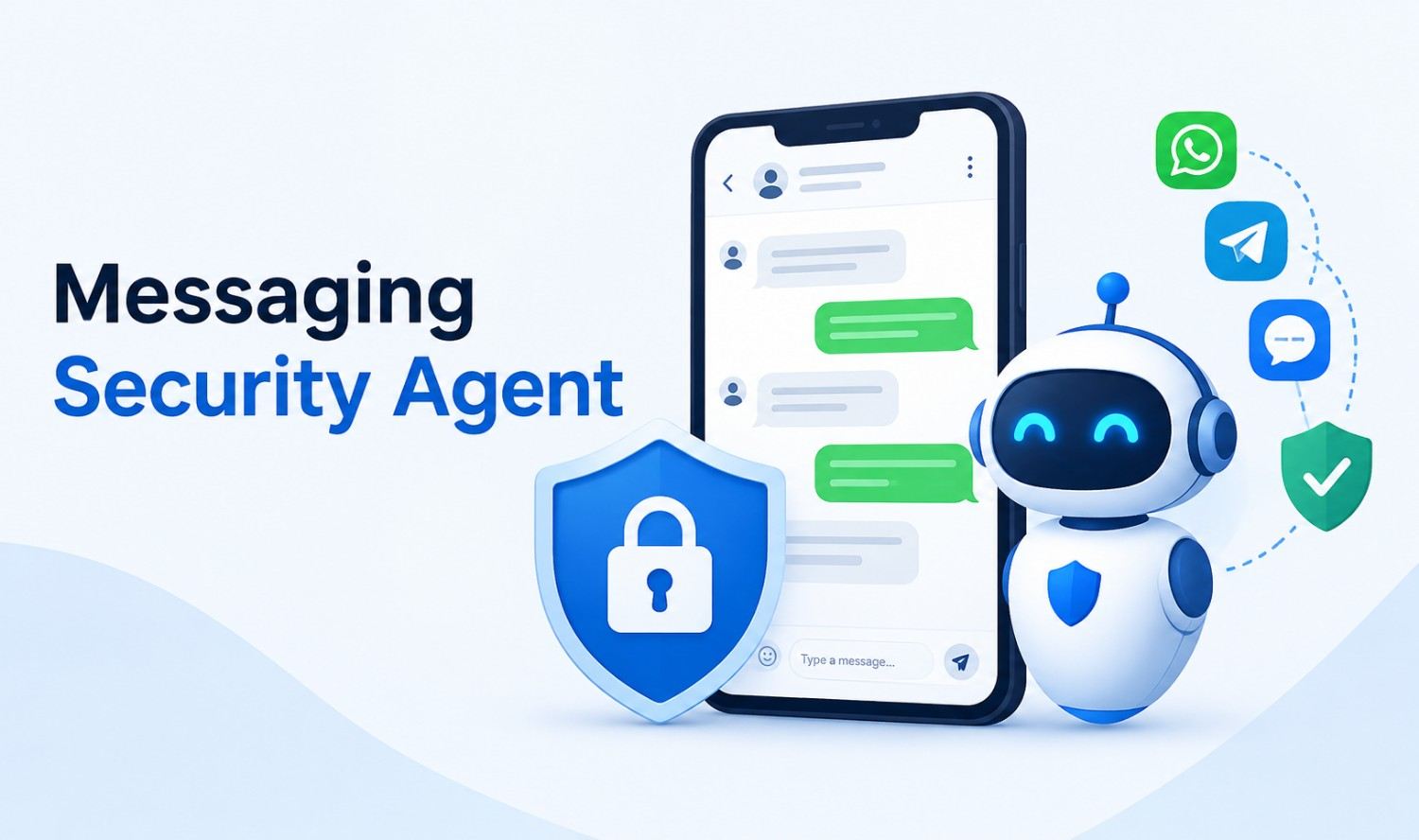

A messaging security agent is software that scans business messages for threats such as phishing, malicious links, malware and data leaks, then blocks, flags or reports them before they cause harm. The term has two meanings: Trend Micro’s module for Microsoft Exchange email servers, and a newer class of AI agents that protect chat apps like Slack, Teams and WhatsApp.
Which one you need depends on where your risk lives. If your company runs on-premises Exchange, the Trend Micro module is probably what you’re looking for. If your team works in chat all day, you need the AI version. This guide covers both, then shows how the AI version works and how to build one.
What Is a Messaging Security Agent?
A messaging security agent is a security layer that inspects messages as they move through your communication tools and stops the dangerous ones. It checks content, links, attachments and sender behavior against threat signals, then takes an action: block, quarantine, redact, warn the user or alert your security team.
The two meanings work differently:
- Trend Micro MSA: A component of Trend Micro Worry-Free Business Security that installs on Microsoft Exchange servers and filters email.
- AI messaging security agent: A software agent that connects to chat and email platforms through their APIs and uses AI models to judge whether a message is a threat.
Both share one goal: catch the harmful message before a person acts on it.
Trend Micro’s Messaging Security Agent: What It Does
Trend Micro’s Messaging Security Agent is a module that protects Microsoft Exchange servers by scanning email moving in and out of the Exchange Mailbox Store and between Exchange and outside destinations. It’s built for small and midsize businesses that host their own Exchange email.
According to Trend Micro’s official documentation, it can:
- Reduce spam: Filter unwanted bulk email.
- Filter content: Block messages based on what they contain.
- Block attachments: Block or restrict email with risky attachments.
- Detect malicious URLs: Catch dangerous links in email.
- Prevent data leaks: Stop confidential data from leaving through email.
It also has limits. It installs only on Exchange servers, doesn’t support Exchange Database Availability Groups (DAG), and each agent must be managed individually. It doesn’t cover chat apps at all.
Trend Micro MSA vs an AI Messaging Security Agent
Trend Micro’s MSA filters email on your own Exchange server, while an AI messaging security agent watches several cloud channels and judges context and intent. Many businesses need email filtering and chat protection together, because attackers now move between the two.
| Trend Micro MSA | AI Messaging Security Agent | |
|---|---|---|
| Channels | Microsoft Exchange email | Slack, Teams, WhatsApp Business, email, live chat |
| Deployment | Installed on Exchange servers | Connects through platform APIs |
| Detection | Rules, filters and threat lists | AI models plus fast rule-based filters |
| Catches social engineering | Limited | Yes, by reading context and intent |
| Best for | Businesses running their own Exchange | Teams that work in cloud chat |
Why Business Chat Became an Attack Target
Attackers follow the conversation, and work conversations have moved from email into chat apps where people respond quickly and trust colleagues by default. Email has decades of security standards and filters. Chat platforms rely mostly on each vendor’s own controls, which leaves gaps attackers are already using.
The numbers show how big the problem is. The FBI’s 2025 Internet Crime Report recorded:
- Total losses: $20.877 billion across 1,008,597 complaints.
- Business email compromise: $3.05 billion in losses from 24,768 complaints.
- Phishing and spoofing: 191,561 complaints, among the most reported crimes.
Two trends make chat riskier:
- Better fake messages: The FBI warns that criminals use generative AI to make messages “appear believable” and to limit spelling and grammar errors.
- Attacks inside Teams: In September 2026, Microsoft Threat Intelligence reported attackers contacting users through external Teams chats and calls while posing as IT support. They persuaded victims to approve remote sessions, then installed malware and moved across the network.
How an AI Messaging Security Agent Works
An AI messaging security agent works in five stages: it ingests each message, runs fast checks, sends uncertain cases to an AI model, takes an action and logs everything for human review. This layered design keeps chat fast while still catching subtle threats.
- Ingest: The agent receives messages through platform APIs, such as Slack’s Events API or Microsoft Graph change notifications for Teams.
- Fast checks: Rule-based filters scan known-bad links, file types, sensitive data patterns and blocklisted senders in milliseconds.
- AI analysis: Messages that look suspicious but aren’t clearly malicious go to an AI model, which judges intent: urgency, impersonation, payment requests or requests for codes and credentials.
- Action: Based on a risk score, the agent allows, warns, redacts, quarantines or blocks the message.
- Review and learning: Alerts go to a security dashboard. Analysts confirm or dismiss them, and those decisions tune the rules and prompts.
Key Features to Look For
The most useful features are real-time link and file scanning, intent detection, data loss prevention, coverage across every channel you use and clear human review controls. These features separate a real security layer from a basic keyword filter. Look for them before you buy a tool or brief a developer:
- Link and attachment scanning: Checks URLs and files before anyone opens them.
- Intent detection: Flags impersonation, urgency and requests for money, codes or passwords.
- Data loss prevention: Spots and redacts card numbers, credentials and confidential data.
- Account behavior signals: Notices when an account suddenly messages unusual people or at odd hours.
- Cross-channel coverage: Protects email, chat and SMS with one policy.
- Explainable alerts: Shows why a message was flagged, so analysts can act quickly.
- Audit logs: Records every decision for compliance and investigations.
Messaging Security Agent vs Spam Filter, Email Gateway and DLP
A spam filter blocks bulk junk email, an email gateway protects the email channel and DLP stops sensitive data from leaving, while a messaging security agent combines threat detection across both chat and email. It complements these tools rather than replacing them.
| Tool | Main Job | Channels | Reads Intent |
|---|---|---|---|
| Spam filter | Block bulk junk mail | No | |
| Email security gateway | Filter inbound and outbound email threats | Partly | |
| DLP | Stop sensitive data leaks | Varies | No |
| Messaging security agent | Detect and stop message-based threats | Chat, email, SMS | Yes |
Instant Messenger Security: Slack, Teams and WhatsApp
Instant messenger security means protecting the chat apps your team uses every day, and each major platform offers an official way for a security agent to read business messages. The agent connects through these APIs with permissions your admin approves:
- Slack: The Events API sends message events to your app through Socket Mode or a public HTTP endpoint.
- Microsoft Teams: Microsoft Graph change notifications let an app subscribe to new channel and chat messages.
- WhatsApp Business: The Cloud API sends a notification to your webhook URL when messages arrive.
Platform security still matters. Microsoft says Teams data is encrypted in transit and at rest, but federation with outside organizations is on by default. Microsoft recommends restricting Teams external access to trusted domains, which closes the door used in the September 2026 attacks.
Where Messaging Security Agents Fall Short
No messaging security agent catches everything, and AI models can produce false positives or miss well-crafted attacks. Knowing the limits helps you set realistic expectations and keep other defenses in place. Treat it as one strong layer of defense, not a complete security program on its own.
- Voice and calls: Attackers who switch to a phone call avoid chat logs entirely.
- End-to-end encrypted personal apps: Messages on personal devices and accounts are outside business control.
- False positives: Overly strict settings block real work and frustrate staff.
- New attack styles: Models need regular updates and review to keep up.
- People: A user who ignores warnings can still approve a malicious request.
That’s why the agent works best alongside employee training, multi-factor authentication and endpoint protection.
How to Build or Deploy One
You can buy a commercial tool or build a custom messaging security agent, and the right choice depends on your channels, compliance needs and budget. Building makes sense when you use several platforms, need custom policies or want the agent tied into your own systems and workflows.
A practical build plan:
- Map your channels: List every place staff and customers send messages.
- Set policies: Decide what counts as a threat, what gets blocked and what only gets flagged.
- Connect the APIs: Use Slack, Microsoft Graph and WhatsApp Business webhooks with least-privilege permissions.
- Layer detection: Start with fast rules, then add an AI model for uncertain messages.
- Pilot in monitor mode: Flag without blocking for a few weeks to tune accuracy.
- Turn on actions: Enable blocking and redaction once false positives are low.
- Review monthly: Update rules and prompts as new attack patterns appear.
Our AI agent development services help US businesses design and build custom agents like this, including the API connections and review dashboard.
Governance and Privacy Rules
Because a messaging security agent reads employee and customer messages, clear governance is as important as detection accuracy. Set the rules before deployment so staff know what’s monitored, data stays protected and your company stays within its legal and industry obligations, including privacy rules.
- Scope: Monitor only business-owned channels and accounts.
- Transparency: Tell employees what the agent checks and why.
- Data minimization: Store only flagged messages, not every conversation.
- Retention: Set how long logs are kept and who can see them.
- Regulated data: Align policies with rules that apply to you, such as HIPAA for patient information.
- Human oversight: Keep people in charge of serious actions like account suspension.
If you also run customer-facing bots, the same controls apply. Our AI chatbot development team builds these safeguards into every chatbot.
Frequently Asked Questions
What is a messaging security agent in simple terms?
It’s software that checks business messages for threats like phishing, malicious links and data leaks, then blocks or flags the dangerous ones. The term refers both to Trend Micro’s Exchange email module and to AI agents that protect chat apps.
Is the Messaging Security Agent a Trend Micro product?
Yes. Trend Micro’s Messaging Security Agent is a module in Worry-Free Business Security that protects Microsoft Exchange servers. The term is also used more broadly for AI tools that secure business chat and email.
What does Trend Micro’s Messaging Security Agent protect?
It protects Microsoft Exchange servers by scanning email. Its features include spam reduction, content filtering, attachment blocking, malicious URL detection and data leak prevention. It doesn’t support Exchange Database Availability Groups.
Is a messaging security agent the same as a spam filter?
No. A spam filter mainly blocks bulk junk email using rules. A messaging security agent also judges context and intent, such as impersonation or urgent payment requests, and can cover chat apps as well as email.
Can a messaging security agent read private conversations?
It reads only the channels it’s given permission to access. Most businesses limit it to company-owned accounts and channels, store only flagged messages and tell employees what’s monitored.
Does a messaging security agent slow down chat?
A well-designed agent doesn’t. Fast rule-based checks clear most messages in milliseconds, and only uncertain messages go to slower AI analysis.
Does it replace antivirus or employee training?
No. It adds a layer of protection for messages. Antivirus, multi-factor authentication and regular security training are still essential, because attackers can switch to phone calls or target people directly.
Protect Your Team’s Conversations
Attackers now reach your team where they work, in chat as much as email. Book a free AI audit and we’ll show you where an AI messaging security agent, smarter chatbots and automated workflows can protect your business and save your team time.