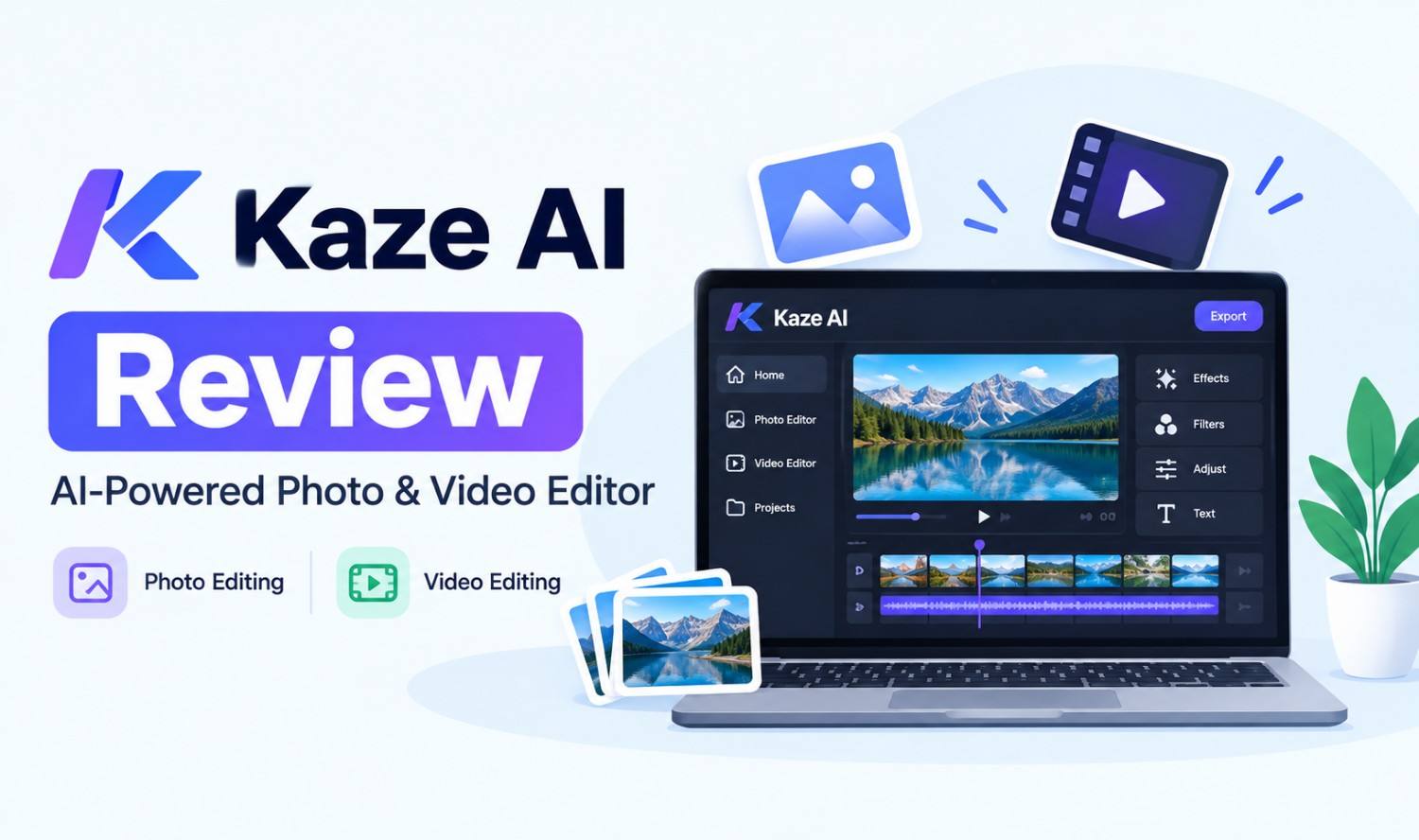

Kaze AI is a browser-based AI photo and video editing platform at kaze.ai that offers tools for photo restoration, upscaling, outfit and hair changes, body editing, background removal and watermark removal, plus AI image and video generation. It runs on a credit-based subscription with a free trial.
Most Kaze AI reviews in search results come from rival photo tools that end by pushing their own product. This review stays neutral. We cover what each group of Kaze tools does, how to use it, what it costs, what real users say and where the legal and safety limits are, especially for the watermark remover.
Key Takeaways
- Many tools in one place: Kaze groups dozens of AI photo tools, from restoration to background and object removal.
- Credit-based pricing: Plans are monthly or yearly subscriptions with credits, plus add-on credit packs.
- Mixed reviews: Kaze’s Trustpilot score is 2.3 out of 5 from a small set of reviews, with complaints focused on billing and cancellations.
- Watermarks have legal limits: In the US, removing copyright information from someone else’s image without permission can violate federal law.
What Is Kaze AI?
Kaze AI is an online platform that uses artificial intelligence to edit, enhance and generate photos and videos. You upload an image to the Kaze AI website, choose a tool and let the AI apply the change. It’s aimed at everyday users, creators and small businesses that want quick edits without design software.
Key facts:
- Website: kaze.ai, a domain registered in February 2020.
- Platform: Works in a web browser on desktop or mobile.
- App: The official Kaze site doesn’t link a dedicated mobile app, so check carefully before downloading any “Kaze AI app.”
- Owner: The site shows only “© 2026 Kaze” and doesn’t name the company behind it.
- Support: Customer questions go to help@kaze.ai.
Kaze AI Photo Tools by Category
Kaze AI organizes its photo tools into groups, each built for a common editing task. The main categories are image enhancement, face and hair edits, outfits, body editing, art styles and object removal, with AI image and video generation on top.
| Category | Example Tools | What It’s For |
|---|---|---|
| Image Enhancer | Photo Restoration, Image Upscaler, Unblur, Image Expander | Fixing old, small or blurry photos |
| Face Editor | Blemish Remover, Makeup Filter, Eye Color Change | Portrait touch-ups |
| Hair Filter | Bangs, Buzz Cut, Long Hair | Trying new hairstyles |
| Outfit Generator | AI Clothes Changer, Add Suit, AI Dress | Changing clothing in a photo |
| Body Editor | Body Editor, Fat Filter, Fat to Fit | Reshaping body proportions |
| Character Styles | Anime, Ghibli, Chibi | Turning photos into art |
| Object Remover | Watermark, Logo, Text, People, Background | Cleaning up images |
Kaze AI Body Editor
The Kaze AI body editor changes body shape and proportions in a photo. Kaze lists it alongside “Fat Filter” and “Fat to Fit” tools, which show a person heavier or slimmer. Use it on your own photos, and get consent before editing images of other people.
Kaze AI Photo Restoration
Restoration and colorizing are where Kaze gets its most positive user feedback. On Trustpilot, the few positive reviewers praise its photo restoration and say its colorizing is better than other AI tools they’ve tried.
How to Use Kaze AI
Using Kaze AI takes a few minutes: open the website, pick a tool, upload a photo, let the AI process it and download the result. Each edit uses credits, so check your balance before running large batches or premium tools such as headshots.
- Open kaze.ai: Sign up for an account to get trial credits.
- Choose a tool: Browse the categories or use the search bar.
- Upload your image: Use a clear, high-resolution photo for the best results.
- Adjust settings: Some tools let you mark areas or add a text prompt.
- Generate and review: Check faces, hands and edges carefully, since AI edits can distort details.
- Download: Save the final image to your device.
Kaze AI Watermark Remover: What It Does and the Legal Limits
The Kaze AI watermark remover uses AI to erase watermarks, logos, text, stamps and signatures from images and fill in the background. It works well for cleaning up your own photos, but removing someone else’s watermark without permission can be illegal in the US.
Watermarks often carry copyright management information, such as the photographer’s name or the owner’s details. Under 17 U.S.C. §1202, no person may intentionally remove or alter copyright management information “without the authority of the copyright owner or the law.” That information includes the author’s name, the copyright owner’s name, the title and terms of use.
Safe ways to use the Kaze watermark remover:
- Your own images: Remove your own old logos or date stamps.
- Licensed images: Edit images you’ve purchased with rights that allow changes.
- Permission: Get written permission from the owner before editing their work.
- Avoid stock photos: Don’t strip watermarks from stock image previews. Buy a license instead.
Kaze AI Pricing and Free Credits
Kaze AI uses credit-based pricing. You can start with a free trial, then choose a monthly or yearly subscription that refills your credits automatically, or buy add-on credit packs. Kaze says yearly plans offer the highest savings, while monthly plans give you more flexibility.
What to know:
- Free trial: New users can try Kaze free before paying.
- Subscription credits: Kaze’s FAQ says monthly plan credits were updated to 200, 500 or 1,200 credits, depending on the plan.
- Add-on credits: Extra credits can be bought separately.
- Tool costs vary: Premium tools, such as AI headshots, use more credits than basic edits.
Prices change often, and third-party reviews list different figures, so check the current plans on kaze.ai before you subscribe. Set a reminder before any trial or renewal date, because several users report unexpected charges.
Is Kaze AI Safe and Legit?
Kaze AI is a real, working platform, and a security scanner shows a clean result for its domain. However, its owner isn’t named, user reviews are mostly negative about billing, and you’re uploading personal photos to its servers. Use it carefully and read its terms first.
Here’s how it checks out:
| Check | What We Found |
|---|---|
| Working product | Yes, a large set of live tools on kaze.ai |
| Domain age | Registered February 2020 |
| Security scan | Clean scan on urlert.com, no threats flagged |
| Named company | Not shown on the website |
| Trustpilot score | 2.3 out of 5 from 10 reviews, 80% one-star |
| Main complaints | Unexpected charges, hard-to-cancel subscriptions, refunds |
| Main praise | Photo restoration and colorizing |
Tips to stay safe:
- Read the privacy policy: Check how long uploads are stored and whether they’re used for training.
- Avoid sensitive photos: Don’t upload IDs, documents or private images.
- Respect other people: Only edit photos of others with their consent.
- Watch your billing: Use a card you can monitor, and cancel before renewal if you don’t need the plan.
Kaze AI for Business Use
Kaze AI can help small businesses with quick product photos, social media visuals, profile headshots and old photo restoration. For regular, high-volume work, businesses usually need consistent results, clear licensing and tools that connect directly to their existing systems and workflows.
Good fits for Kaze:
- Social media posts: Fast background changes and style filters.
- Product photos: Background removal and upscaling for listings.
- Team photos: Headshots and touch-ups.
When editing hundreds of images, a custom pipeline is often more reliable. Our workflow automation services help businesses process images in bulk, and our generative AI development team builds custom image tools trained on your brand.
Kaze AI Alternatives
If Kaze AI doesn’t fit your needs, established editors with clear ownership and published plans are safer choices for commercial work. Adobe Firefly and Canva both offer free plans with AI photo tools, and both are run by well-known US companies.
- Adobe Firefly: Offers a free plan with limited daily generations. Adobe says outputs from its own Firefly models “can be used for commercial purposes,” which makes it a strong choice for brand work.
- Canva: Canva says you can get started with a range of AI-powered tools on its Free plan, including a background remover and an AI photo editor.
Frequently Asked Questions
What is Kaze AI?
Kaze AI is a browser-based AI photo and video editing platform at kaze.ai. It offers photo restoration, upscaling, face and hair edits, outfit changes, a body editor, background removal, watermark removal and AI image and video generation.
Is Kaze AI free?
Kaze AI offers a free trial, then uses paid, credit-based subscriptions and add-on credit packs. Prices change often, so check kaze.ai for current plans before subscribing.
Is Kaze AI safe to use?
Kaze AI is a working platform with a clean security scan, but its owner isn’t named and its Trustpilot reviews mention billing and cancellation problems. Read its privacy policy and avoid uploading sensitive photos.
Is there a Kaze AI app?
Kaze AI works in your web browser on desktop and mobile. Its website doesn’t link an official mobile app, so be cautious with apps that use the Kaze name.
Is it legal to use the Kaze AI watermark remover?
It’s legal on your own images or images you have permission to edit. In the US, removing copyright management information from someone else’s work without permission can violate 17 U.S.C. §1202.
What does the Kaze AI body editor do?
It changes body shape and proportions in a photo. Kaze lists it with Fat Filter and Fat to Fit tools. Use it on your own photos, and get consent before editing images of other people.