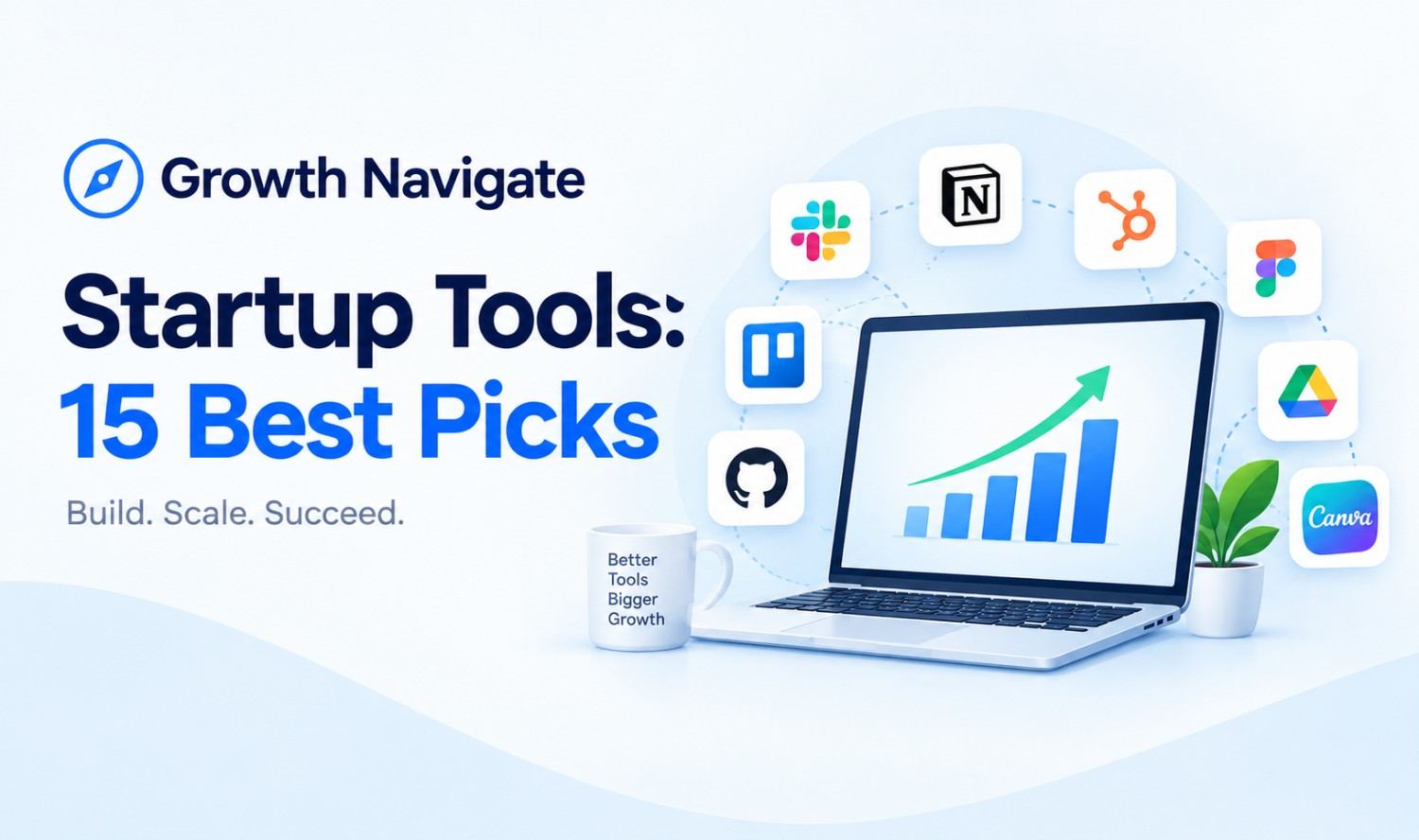

Growth navigate startup tools are the software a young company uses to win customers, run daily work and track money: a CRM, team chat, a workspace, analytics, automation, payments and marketing. The best stack isn’t the biggest one. It’s a small set of connected tools that fits your stage and grows with you.
Most lists of startup tools hand you dozens of apps and leave you to sort it out. This guide gives you 15 picks sorted by job, the free plans and prices we checked on each vendor’s own site, two sample budgets with real math, and a simple way to decide what to add and when.
What Are Growth Navigate Startup Tools?
Growth navigate startup tools is a search term for startup growth software as a category, not a single app or platform. It covers the business growth tools a new company uses to find customers, sell, collaborate and measure results. Some sites use the phrase as a directory or brand name, which is why the term can be confusing.
Think of your tools as the operating system of your company. Picked well, they let a three-person team handle the workload of a much bigger one. Picked badly, you pay for software nobody opens.
Most business growth software falls into one of seven jobs:
| Job | What It Does | Example Tools |
|---|---|---|
| 1. Customer relationships (CRM) | Tracks leads, deals and conversations | HubSpot, Salesforce Starter Suite |
| 2. Team communication | Replaces long email threads with channels | Slack |
| 3. Docs, email and projects | Stores plans, wikis, files and tasks | Notion, Asana, Google Workspace |
| 4. Analytics | Shows where visitors come from and what they do | Google Analytics 4, PostHog |
| 5. Automation | Moves data between apps without copy-paste | Zapier, Make |
| 6. Payments and finance | Takes payments and keeps the books | Stripe, QuickBooks Online |
| 7. Marketing, content and SEO | Sends emails, creates visuals, tracks search | Mailchimp, Canva, Ahrefs Free |
Why Your Tool Choices Matter in the First Five Years
Early-stage companies have little room for wasted time or money, and the right growth tools help protect both. According to the US Bureau of Labor Statistics, 77.9% of private-sector establishments that opened in the year ending March 2024 were still operating a year later. Of those that opened in the year ending March 2020, 51.4% were still open five years later.
Software won’t decide which side of that line you land on. But good startup business tools help in three practical ways:
- They save hours. Automation handles follow-ups, data entry and reminders.
- They replace guesses with data. Analytics shows which channels bring paying customers.
- They protect cash. A lean stack keeps fixed costs low while you search for product-market fit.
The 15 Best Growth Navigate Startup Tools by Category
The best tools for startups are the ones your team will actually use, that connect to each other, and that have a free or low-cost way to start. Here are 15 of the best startup tools across the seven jobs, with prices we verified on each vendor’s official site in October 2026.
CRM and Sales
1. HubSpot CRM: The core CRM is free, which makes it a common first choice for tracking contacts, deals and email conversations. HubSpot’s Starter plan lists a standard price of $20 per seat per month, with a limited-time new-customer offer of $10 monthly or $7 per month billed annually.
2. Salesforce Starter Suite: Built for small teams that expect to grow into a larger sales process. Starter Suite costs $25 per user per month, and Pro Suite costs $100 per user per month billed annually. Salesforce also offers a Free Suite.
Team Communication
3. Slack: Channels, direct messages and huddles in one place. The free plan keeps 90 days of message history, allows 10 app integrations and supports 1:1 huddles only. Pro costs $8.75 per user per month billed monthly, or $7.25 billed annually.
Docs, Email and Projects
4. Notion: A shared workspace for docs, wikis and simple project tracking. The free plan includes 7-day page history and 5 MB file uploads. Plus costs $10 per seat per month.
5. Asana: Task and project tracking for teams that need clear owners and deadlines. The free Personal plan supports 2 users. Starter costs $10.99 per user per month billed annually, or $13.49 monthly.
6. Google Workspace: Business email on your own domain, plus Docs, Sheets, Drive and Meet. Business Starter includes 30 GB of pooled storage per user, and Google offers a 14-day free trial. Check Google’s pricing page for the current per-user rate.
Analytics
7. Google Analytics 4: Google’s website analytics is free and shows traffic sources, conversions and user behavior. A paid enterprise version, Analytics 360, exists for large companies.
8. PostHog: Product analytics, session recordings and feature flags in one tool. The free plan needs no credit card and includes 1 million analytics events and 5,000 session recordings per month. PostHog also offers startup discounts.
Automation
9. Zapier: Connects your apps with “when this happens, do that” rules. The free plan includes 100 tasks per month with two-step Zaps. Professional starts at $19.99 per month.
10. Make: A visual automation builder for more complex, multi-step workflows. The free plan includes 1,000 credits per month, and Make’s Start-up Plan offers 50% off its Business plan for eligible companies with fewer than 20 employees.
Payments and Finance
11. Stripe: Online payments with no monthly fee on standard pricing. US domestic card payments cost 2.9% plus 30 cents per successful transaction.
12. QuickBooks Online: Bookkeeping, invoicing and reports. Simple Start lists a regular price of $38 per month for 1 user, Essentials is $85 per month for 3 users, and new customers can get 50% off for 3 months. There’s a 30-day free trial.
Marketing, Content and SEO
13. Mailchimp: Email marketing for newsletters and simple automations. The free plan allows 250 contacts and up to 500 emails per month (250 per day). Essentials starts at $13 per month for the first 12 months.
14. Canva: Design for social posts, ads, slides and brochures. Canva Free costs nothing for one person, and Canva Pro costs $144 per year for one person.
15. Ahrefs Free (formerly Ahrefs Webmaster Tools): Free SEO tools for websites you verify, including a site audit that checks 170+ technical and on-page issues and a view of your keywords and backlinks.
The Best Free Tools for Startups and Growing Teams
Most startups can run their entire early stack on free plans, but every free plan has a limit you’ll eventually hit. Use this table to see where each limit sits so you know when an upgrade will actually be worth paying for.
| Tool | Free Plan Limit | When You’ll Likely Upgrade |
|---|---|---|
| HubSpot CRM | Core CRM free | When you need sales automation or more seats with paid features |
| Slack | 90 days of history, 10 integrations | When you lose older messages or need group huddles |
| Notion | 7-day page history, 5 MB uploads | When you need longer history or bigger files |
| Asana | 2 users | As soon as a third person joins |
| PostHog | 1M events, 5K recordings per month | When traffic passes the free allowance |
| Zapier | 100 tasks per month, two-step Zaps | When automations need more steps or volume |
| Make | 1,000 credits per month | When workflows run more often |
| Mailchimp | 250 contacts, 500 emails per month | When your list grows past 250 |
| Canva | Free for one person | When you need premium templates or brand kits |
| Google Analytics 4 | Free | Rarely, for small and mid-size businesses |
| Ahrefs Free | Verified sites only | When you need competitor research |
The pattern: free plans are generous on features but strict on users, history or volume. Upgrade when a limit starts costing you time or customers, not before.
Two Sample Budgets: What a Startup Stack Really Costs
A small startup can run on $0 a month, then move to about $106 a month once paid features start saving real time. These examples use the prices we verified for a three-person team.
Stack 1: Pre-Launch Team of 3 ($0 per month)
HubSpot CRM free, Slack free, Notion free, Google Analytics 4 and PostHog free, Zapier free, Mailchimp free, Canva Free, and Stripe for payments (fees only when you get paid). Fixed monthly cost: $0.
Stack 2: Early Traction Team of 3 (about $106 per month)
| Tool | Plan | Monthly Cost (Monthly Billing) |
|---|---|---|
| Slack | Pro, 3 users at $8.75 | $26.25 |
| Notion | Plus, 3 seats at $10 | $30.00 |
| HubSpot | Starter, 3 seats at $10 (new-customer offer) | $30.00 |
| Zapier | Professional | $19.99 |
| Total | $106.24 |
Analytics, email marketing and payments stay on free plans or per-transaction pricing. Annual billing on Slack and HubSpot lowers the total further. Add QuickBooks Online Simple Start ($38 per month regular price) when bookkeeping outgrows a spreadsheet.
How to Choose Startup Tools by Stage
Match your tools to the problem you have today, not the company you hope to be in three years. Each stage brings a new bottleneck, and the right time to add or upgrade a tool is when that bottleneck starts costing your team time or customers.
Idea and Validation
You need to talk to people and stay organized. Stick to free plans: a workspace, a chat tool and a simple CRM. Skip paid marketing automation until you know who your customer is.
First Customers
Now you’re tracking deals and learning which channels work. Set up Google Analytics 4 on your website, add PostHog if you have an app, and log every lead in your CRM. Start an email list in Mailchimp.
Growth and Scaling
Manual work starts slowing everyone down. This is when growth for startups depends on automation: connect your CRM, email and billing so a new customer triggers onboarding emails, a Slack alert and an invoice automatically.
4 Things to Check Before You Buy Any Tool
Before paying for any growth software, check four things: budget, integrations, scalability and support. A tool that fails any one of these can cost you more in lost time than its subscription price.
- Budget: Start on the free plan and know the exact limit that triggers the first paid tier.
- Integrations: Confirm it connects to your CRM and workspace, natively or through Zapier or Make.
- Scalability: Check the price per seat at 10 and 25 users, not just today’s headcount.
- Support: Find out what help is included on your plan: chat, email, phone or community only.
How to Choose a Product Suite for Scaling Business Operations
When you choose a product suite for scaling business operations, the main decision is one all-in-one business growth platform versus separate best-of-breed tools connected together. Both work. The right choice depends on your team size, budget and how much setup time you have.
| Approach | Example | Pros | Cons |
|---|---|---|---|
| All-in-one suite | HubSpot or Salesforce for sales, marketing and service | One login, shared data, fewer integrations to maintain | Higher cost per seat as you add features; harder to switch later |
| Best-of-breed stack | Slack + Notion + PostHog + Stripe, connected with Zapier | Pick the best tool for each job; many free plans | More integrations to manage; data can drift between apps |
A practical rule: if one team (usually sales) drives most of your growth, a suite built around your CRM keeps that team’s data in one place. If your growth depends on the product itself, a best-of-breed stack with strong analytics often fits better.
How to Connect Your Tools So Data Flows
Connected tools are what turn separate startup company tools into a real stack. Pick one “source of truth” for each type of data, then let everything else read from it.
- Customers and deals: your CRM
- Payments and revenue: Stripe or your billing tool
- Docs and processes: your workspace (Notion or Google Workspace)
- Website and product data: Google Analytics 4 or PostHog
Then automate the handoffs. For example: a new Stripe payment updates the customer record in HubSpot, posts a message in Slack and adds the customer to a Mailchimp onboarding sequence.
Best Technology Solutions to Scale Revenue Without Extra Headcount
The best technology solutions to scale revenue without extra headcount are automation tools and AI agents that take over repetitive, rules-based work. Instead of hiring for every new task, you let software handle follow-ups, data entry, lead questions and booking, while your team focuses on selling and building.
Think of these as business acceleration tools, in three levels:
- Simple automation: Zapier or Make move data between apps on fixed rules, such as adding a form submission to your CRM.
- AI chatbots: Answer common questions on your website or WhatsApp 24/7 and capture leads.
- AI agents: Read an incoming message, decide whether it’s a sales lead or a support request, reply, update the CRM and book a call.
Start with level one. Move to chatbots and agents when repetitive conversations start eating your team’s day. If you’re at that point, our workflow automation team builds these systems on top of the tools you already use.
Common Mistakes and How to Avoid Tool Sprawl
Tool sprawl happens when subscriptions pile up faster than anyone uses them. It wastes money, splits your data across apps and slows new hires who have to learn too many systems.
The most frequent mistakes:
- Buying a tool before defining the problem it solves
- Running two tools for the same job (two CRMs, two task managers)
- Paying for automation before product-market fit
- Ignoring integrations, then copying data by hand
- Never canceling unused subscriptions
Run this audit every three months:
- List every paid subscription and its monthly cost
- Check last login or usage for each one
- Keep one tool per job and cancel duplicates
- Downgrade anything that fits a free plan
- Confirm every remaining tool connects to your CRM or workspace
5 Numbers Your Stack Should Report Every Week
Your tools are only as useful as the numbers they give you. Whatever growth tools you choose, make sure that together they report these five metrics, ideally in one weekly view, so you can see whether growth is healthy or just expensive.
| Metric | What It Means | Where It Usually Lives |
|---|---|---|
| Customer acquisition cost (CAC) | Sales and marketing spend divided by new customers | CRM plus finance tool |
| Customer lifetime value (LTV) | Revenue you expect from a customer over the relationship | CRM or billing tool |
| Monthly recurring revenue (MRR) | Predictable monthly subscription revenue | Stripe or billing tool |
| Burn rate | Cash spent each month | QuickBooks or accounting tool |
| Runway | Months of cash left at your current burn rate | Accounting tool or spreadsheet |
Rule of thumb: LTV should be comfortably higher than CAC. If winning a customer costs more than they’ll ever pay you, more tools won’t fix it.
Free Help Most Founders Miss
Software isn’t the only free growth help available to US founders. Government-backed counseling and vendor startup programs can save money and mistakes, yet many teams never apply for them.
- SBA resource partners: The US Small Business Administration and its partners, including SCORE mentors, Small Business Development Centers, Women’s Business Centers and Veterans Business Outreach Centers, offer free or low-cost counseling and training across the country.
- Startup discounts: PostHog offers startup discounts, and Make offers 50% off its Business plan for eligible companies under 20 employees. Check each vendor’s startup page before paying full price.
- Startup growth services: If you’d rather not build everything yourself, agencies and consultants can set up and connect your stack. Ask for references and a written scope first.
Frequently Asked Questions
What are growth navigate startup tools?
They’re the software a startup uses to grow and run its business, including a CRM, team chat, workspace, analytics, automation, payments and marketing tools. The term describes a category of business growth tools, not one specific product.
What are the best tools for startups in 2026?
A strong starting stack is HubSpot CRM, Slack, Notion, Google Analytics 4, PostHog, Zapier, Stripe, Mailchimp and Canva, all of which have free plans. Add QuickBooks Online, Asana or Salesforce Starter Suite as your needs grow.
What are the best free tools for startups and growing teams?
HubSpot CRM, Slack, Notion, Asana (2 users), Google Analytics 4, PostHog, Zapier, Make, Mailchimp (250 contacts), Canva Free and Ahrefs Free all offer free plans. Each has limits on users, history or volume, so check them before you build your workflow around one.
How much should a startup spend on software?
There’s no fixed rule. A three-person team can run on $0 a month using free plans, and a modest paid stack can cost about $106 a month at current monthly prices. Review spending every quarter.
Should I choose an all-in-one platform or separate tools?
An all-in-one suite like HubSpot or Salesforce keeps data in one place and suits sales-led teams. Separate tools connected with Zapier or Make give more flexibility and more free plans, but take more upkeep.
What are the best digital growth tools for rental and recreation companies?
The same seven jobs apply: a CRM for customer records, online booking and payments (for example, Stripe), email marketing for repeat visitors, and analytics to see which channels drive bookings. An AI chatbot can also answer availability and pricing questions after hours.
How can a startup scale revenue without hiring more people?
Automate repetitive work first with Zapier or Make, then add an AI chatbot or AI agent to handle lead questions, qualification and booking. This lets a small team handle more customers without adding headcount for every task.