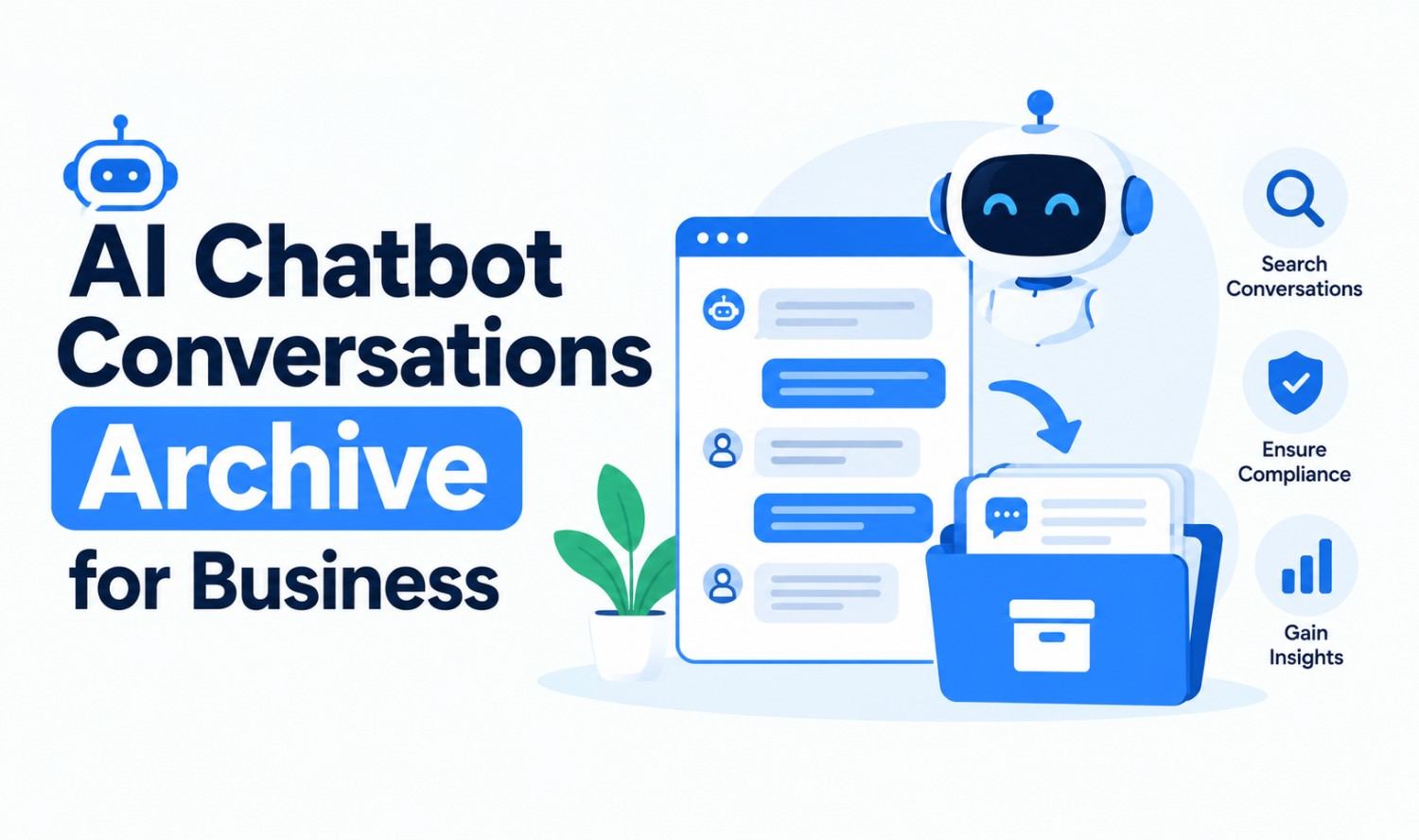

An AI chatbot conversations archive is a structured, searchable record of every interaction between your chatbot and its users, stored with metadata such as timestamps, channels, intents and outcomes. Businesses use it for compliance, customer insight, quality control and training better AI.
Most chatbots already keep some form of chat history. An archive is different. It’s organized, protected and governed by clear retention rules, so you can find any conversation in seconds, prove what your bot said and turn thousands of chats into decisions. This guide explains how an archive works, what to store, which US rules apply and how to put your chat history to work.
What Is an AI Chatbot Conversations Archive?
An AI chatbot conversations archive is a central system that captures, structures and stores chatbot conversations so teams can search, analyze and retrieve them later. It turns raw transcripts into a governed business record, with every message tied to a user, session, channel and outcome.
Three terms often get mixed up:
| Term | What It Means | Who Controls It |
|---|---|---|
| Chat history | The list of past chats an app shows in its interface | The platform |
| Export | A copy of conversation data downloaded outside the app | The user or admin |
| Archive | A structured, searchable, retention-managed store of conversations | Your business |
Insight: if your only record of customer conversations is the chat widget’s dashboard, you have chat history, not an archive. When the vendor changes plans or deletes old data, that history can disappear.
Why Businesses Archive Chatbot Conversations
Businesses archive chatbot conversations to meet legal obligations, resolve disputes, improve customer experience and train better AI. Every conversation contains real customer language, questions and problems, which makes the archive one of the most valuable data sources a company owns.
The main benefits:
- Compliance and audits: Prove what your bot told a customer and when.
- Dispute resolution: Pull the exact transcript when a customer challenges a refund, quote or promise.
- Quality control: Spot wrong, off-brand or risky answers before they become a pattern.
- Customer insight: See what customers ask most, in their own words.
- Better AI: Use failed and escalated conversations to improve answers, prompts and knowledge bases.
How a Chatbot Conversation Archive Works
A chatbot conversation archive works in five layers: it captures each message, structures it with metadata, stores it securely, indexes it for search and makes it available for analytics. Each layer can be built with standard cloud tools and connected to your existing chatbot. Businesses can use a WhatsApp chatbot to automate customer conversations and make support more accessible through WhatsApp.
- Capture: The chatbot platform or API sends every user message and bot response to your logging service in real time.
- Structure: Each message is saved as a record with fields such as session ID, timestamp, channel, intent and outcome.
- Store: Records go into a database for recent data and lower-cost object storage for older data.
- Index: A search layer makes conversations findable by keyword, filter or meaning.
- Analyze: Dashboards and reports turn the archive into trends, gaps and performance metrics.
Insight: semantic search, which matches meaning instead of exact words, lets a support lead search “late delivery complaints” and find chats that say “my package never arrived.”
What to Store in Each Conversation Record
A useful archive stores more than message text. Each conversation record should include who was involved, when and where it happened, what the user wanted, how the bot responded and how the conversation ended. Without these fields, search and analysis become guesswork.
| Field | Why It Matters |
|---|---|
| Session and user ID | Links all messages in one conversation to one customer |
| Timestamp | Shows when each message was sent, for audits and timelines |
| Channel | Website, app, WhatsApp, SMS or voice |
| Full messages | The exact words from the user and the bot |
| Intent | What the user was trying to do |
| Outcome | Resolved, escalated, abandoned or converted |
| Bot or model version | Shows which version gave each answer |
| Handoff details | When and why a human took over |
| Consent and privacy flags | Records opt-ins and data subject requests |
Store only what you need. Collecting extra personal data increases risk without adding value.
Use Cases, From Simple FAQs to Complex Conversations
Archives support every type of chatbot conversation, from one-question FAQs to complex, multi-step interactions. The more complex the conversation, the more value the archive delivers, because those chats show exactly where your bot struggles and where customers still need human help.
Common use cases:
- FAQ and support chats: Find the questions your bot answers poorly and fix the knowledge base.
- Sales and lead qualification: Review which questions and answers lead to booked calls or purchases.
- Complex troubleshooting: Study multi-step conversations to see where users drop off or get confused.
- Bookings and order changes: Keep a clear record of what the customer requested and what the bot confirmed.
- Escalations: Review handoffs to see whether the bot passed the right context to your team.
- Regulated conversations: Keep financial, insurance or healthcare chats under stricter controls.
How to Use Past Conversation Data to Personalize Future Outreach
Past conversation data can personalize future outreach by revealing each customer’s interests, questions and unresolved problems. Used with consent, it helps your sales, marketing and support teams send relevant follow-ups, offers and help instead of generic messages that customers ignore.
Practical ways to use it:
- Follow up on open questions: If a customer asked about a feature you’ve since launched, let them know.
- Segment by intent: Group customers by what they asked about, such as pricing, integrations or delivery.
- Recover lost leads: Reach out to people who left a sales conversation before booking.
- Prepare your team: Give sales and support reps a short summary of past chats before a call.
- Improve campaigns: Use real customer phrases in emails, landing pages and ads.
Stay within your privacy promises. The FTC has warned that “it may be unfair or deceptive for a company to adopt more permissive data practices,” including using consumer data for AI training, through a “surreptitious, retroactive amendment” to its terms. If you plan to use chat data for marketing or training, say so clearly in your privacy policy first.
Retention and Compliance Rules in the US
There’s no single US law that sets one retention period for chatbot conversations. Your obligations depend on your industry and where your customers live. The table below covers the most common rules, checked against official sources. This isn’t legal advice, so confirm your specific obligations with legal counsel.
| Rule | Who It Applies To | What It Requires |
|---|---|---|
| CCPA | Businesses covered by California’s privacy law | Customers can ask you to disclose, delete or correct their data. You must respond within 45 days, extendable to 90 days total. |
| HIPAA | Healthcare providers, health plans and their partners | Chats with patient health information must be protected. Required security documentation must be kept for 6 years. |
| SEC Rule 17a-4 | Broker-dealers | Business communications must be kept at least 3 years, the first 2 easily accessible, in WORM storage or with a full audit trail. |
| GDPR | Businesses serving people in the EU | Respond to data requests within one month, and keep data no longer than necessary. |
What this means in practice:
- Know your deletion path: Under the CCPA, you need a way to find and delete one customer’s conversations on request.
- Protect health data: HIPAA’s 6-year rule covers compliance documentation, not every chat. But any chat containing patient information must be secured.
- Lock financial records: For broker-dealers, archived communications can’t be editable. Storage such as AWS S3 Object Lock offers write-once, read-many (WORM) protection for this purpose.
- Write a retention policy: Decide how long each type of conversation is kept, then delete it automatically when that time ends.
Chat History Maintenance Best Practices
Good chat history maintenance keeps your archive accurate, secure and affordable. The best practices come down to clear ownership, automated retention, consistent tagging, strong security and regular reviews, so the archive stays useful instead of becoming an expensive data dump.
Follow this checklist:
- Assign an owner: Make one person or team responsible for the archive and its policies.
- Automate retention: Delete or anonymize conversations automatically when their retention period ends.
- Tag consistently: Use the same intent, outcome and channel labels across every bot.
- Encrypt everything: Encrypt data in transit and at rest.
- Limit access: Give staff only the access their role needs, and log who views what.
- Redact sensitive data: Mask card numbers, passwords and health details before storage where possible.
- Tier your storage: Keep recent chats in fast storage and move older ones to cheaper storage.
- Review quarterly: Check data quality, access logs and whether your rules still match the law.
Automating these steps saves hours of manual work. Our workflow automation services help businesses set up retention, tagging and export pipelines that run on their own.
Tools for Storing and Searching Chatbot Logs
Most chatbot archives combine four types of tools: a database for structured records, object storage for long-term retention, a search engine for fast retrieval and an analytics layer for reporting. You don’t need every tool on day one; start simple and add layers as volume grows.
| Layer | Purpose | Common Options |
|---|---|---|
| Database | Store structured conversation records | PostgreSQL, MongoDB |
| Object storage | Low-cost, long-term retention, WORM if needed | AWS S3, Azure Blob Storage, Google Cloud Storage |
| Search | Keyword and semantic search | Elasticsearch, OpenSearch, vector databases |
| Analytics | Dashboards, trends and reports | BI tools such as Power BI or Looker |
If you’re building a new chatbot, design the archive at the same time. Adding it later usually means missing data and rework. Our AI chatbot development team builds conversation logging, search and retention into every chatbot we deliver.
Managing Your Own AI Chat History in ChatGPT, Claude and Gemini
Personal AI assistants handle chat history differently, and each lets you archive, export or delete your conversations. Knowing these controls helps you keep important chats, export a backup and remove sensitive ones, whether you use AI for work or personal tasks.
- ChatGPT: Choose Archive from a chat’s menu to hide it from the sidebar without deleting it. Find it later under Settings > Data controls > Archived chats. According to the OpenAI Help Center, deleted chats are scheduled for permanent deletion within 30 days, with some exceptions, and can’t be restored.
- Claude: Go to Settings > Privacy > Export data. You’ll get an email with a download link that’s valid for 24 hours.
- Gemini: Your Gemini Apps activity auto-deletes after 18 months by default. You can change this to 3 or 36 months, or turn it off. With activity off, chats are still kept for up to 72 hours.
For work use, don’t paste confidential company or customer data into personal AI accounts. Business plans and custom chatbots give your company control over retention and access.
Frequently Asked Questions
What is an AI chatbot conversations archive?
It’s a structured, searchable system that stores every interaction between a chatbot and its users, along with metadata such as timestamps, channels, intents and outcomes. Businesses use it for compliance, quality control, customer insight and AI training.
How long should businesses keep chatbot conversations?
It depends on your industry and the laws that apply to you. Broker-dealers must keep business communications for at least 3 years under SEC Rule 17a-4. Other businesses should set a written retention policy and keep data no longer than needed.
Does HIPAA require keeping chatbot conversations for 6 years?
Not exactly. HIPAA requires covered entities to keep required security documentation for 6 years. Chatbot conversations that contain patient health information must be protected under HIPAA, but their retention period is set by your policies and applicable state laws.
Can archived chatbot conversations be searched by meaning?
Yes. Semantic search uses AI to match the meaning of a query, not just exact words. A search for “refund problems” can find chats that say “I never got my money back.”
Can I use archived chat data to train my AI or personalize marketing?
Yes, if your privacy policy clearly allows it and you follow consent rules. The FTC has warned that quietly changing your terms to use consumer data for AI training may be unfair or deceptive, so disclose your plans upfront.
How do I archive or delete my ChatGPT history?
Open a chat’s menu and choose Archive to hide it without deleting it, or Delete to remove it. Archived chats are under Settings > Data controls. Deleted chats are scheduled for permanent deletion within 30 days, with some exceptions.