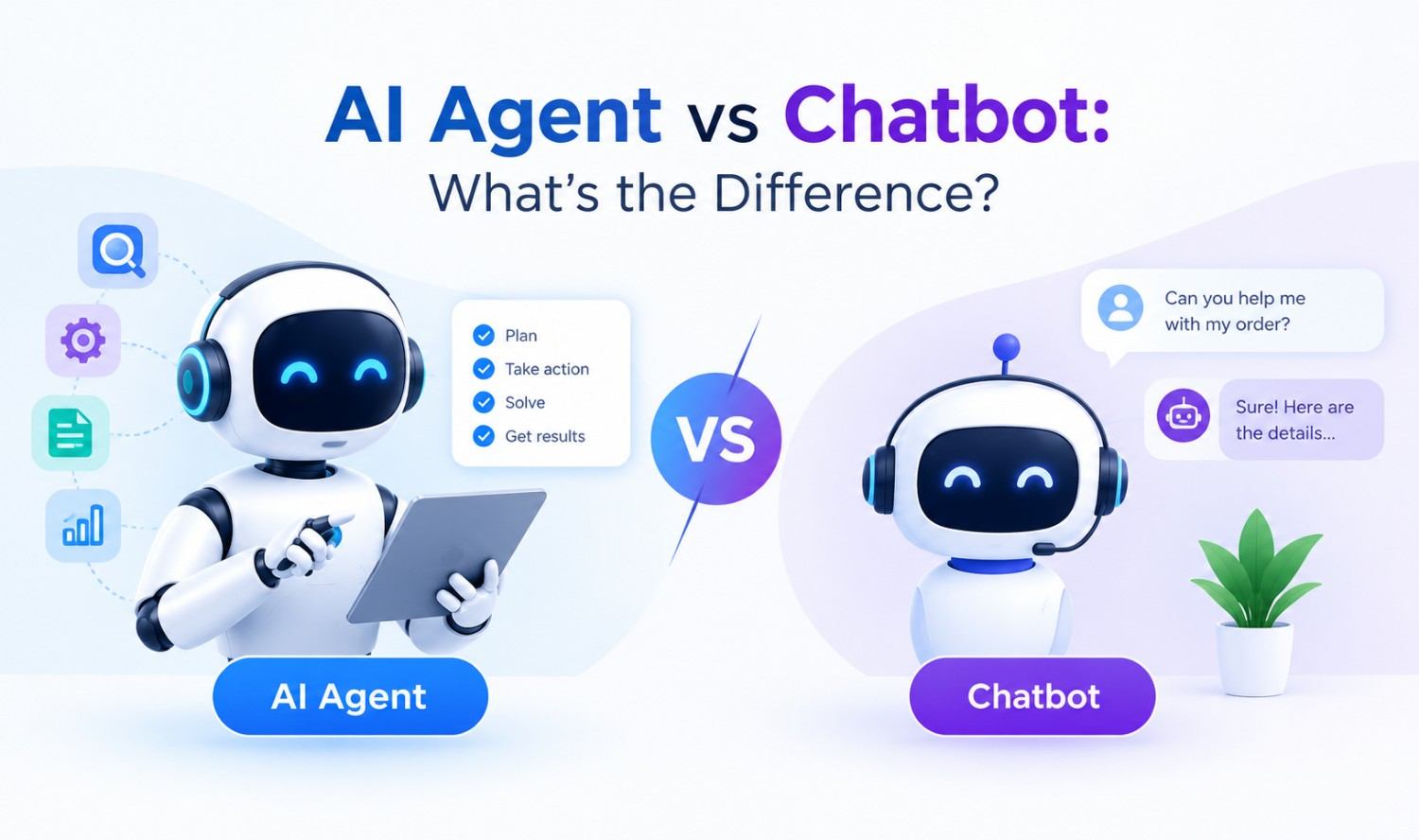

A chatbot answers questions. An AI agent gets work done. A chatbot waits for a message and replies, while an AI agent works toward a goal by planning steps, using business tools like your CRM or calendar, and taking action with little human help.
That one difference changes what each tool costs, what it can break, and where it fits in your business. Here’s how to tell them apart and pick the right one.
Key Takeaways
- Chatbots are reactive. They respond to messages using scripts or an AI model, but they rarely take action in other systems.
- AI agents are goal driven. They reason through a task, call tools and APIs, and complete multi-step work.
- Chatbots win for FAQs, simple booking and lead capture. Agents win when a task spans several systems or needs judgment.
- Many “agents” are not real. Gartner warns about “agent washing,” where vendors rebrand chatbots as agentic AI.
- Most businesses benefit from both: a chatbot as the front door, an agent doing the work behind it.
What Is a Chatbot?
A chatbot is software that holds a conversation with a person through text or voice. It answers questions, collects details, and guides users through simple steps. Most chatbots only act when someone sends a message, and their job usually ends when the reply is sent.
The idea is old. Joseph Weizenbaum built ELIZA, an early keyword-matching chatbot, at MIT in the mid-1960s. Today, chatbots come in two main types.
Rule-Based Chatbots
A rule-based chatbot follows a decision tree. If the user clicks “Track my order,” the bot asks for an order number and shows a status. Think of it like a vending machine: press a button and get exactly what’s stocked, nothing more.
These bots are predictable and cheap to run. The downside is that they break when someone asks something outside the script.
AI Chatbots
An AI chatbot uses a large language model (LLM), the same kind of technology behind ChatGPT and Claude, to understand messy questions and write natural answers. It can handle “my package says delivered but it’s not here” without a perfect keyword match.
But an AI chatbot is still mostly a talker. It can explain your refund policy beautifully, yet it usually can’t issue the refund.
What Is an AI Agent?
An AI agent is an AI system that independently completes tasks for you. It takes a goal, breaks it into steps, uses tools like your CRM, calendar or inventory system, checks the results, and adjusts until the job is done. Conversation is optional; action is the point.
The companies building these systems define them in similar ways. OpenAI describes agents as systems that independently accomplish tasks on your behalf, and its guide says simple chatbots and single-turn LLM apps don’t count as agents. Anthropic draws the line between workflows, which follow predefined code paths, and agents, where the model directs its own process and tool use.
The Four Parts of an AI Agent
IBM breaks agents into building blocks. In plain terms, every real agent has:
- A goal: “Reschedule this patient’s appointment,” not just “answer this message.”
- Reasoning and planning: It decides which steps to take and in what order.
- Tools: It connects to software through APIs (the connectors that let programs talk to each other) to read data and take action.
- Memory: It remembers earlier steps and past interactions so it doesn’t start from zero each time.
If a product is missing tools or planning, it’s a chatbot with a new label.
AI Agent vs Chatbot: Key Differences
The core difference is autonomy. A chatbot responds inside a conversation. An AI agent pursues an outcome across systems, deciding its own next steps along the way.
| Feature | Rule-Based Chatbot | AI Chatbot | AI Agent |
|---|---|---|---|
| How it works | Scripts and decision trees | LLM writes answers | LLM plans, acts and checks results |
| Starts work | When a user messages | When a user messages | On a message, trigger or schedule |
| Handles unexpected questions | Poorly | Well | Well |
| Takes action in other systems | Rarely, only pre-built steps | Rarely | Yes, through tools and APIs |
| Memory | Single session | Usually single session | Across steps and sessions |
| Predictability | Very high | Medium | Lower, needs guardrails |
| Typical build time at BotCircles | 2 to 4 weeks | 2 to 4 weeks | 4 to 8 weeks |
| Best for | Simple, repeated flows | Answering questions | Multi-step work |
The Same Request, Handled Three Ways
Here’s how each tool handles one common message at a dental clinic: “I need to move my cleaning to next week, preferably a morning.”
- Rule-based chatbot: Shows a menu. “Press 1 to book, 2 to cancel.” The patient cancels, then has to call the front desk to rebook.
- AI chatbot: Understands the request and replies politely, “I can help with that! Please call us at (555) 123-4567 to reschedule.” The conversation is better, but a human still does the work.
- AI agent: Checks the scheduling system, finds three open morning slots next week, offers them, books the patient’s choice, cancels the old slot, updates the patient record, and sends a confirmation text.
Same question. Only one of them actually finished the job.
Virtual Agent vs Chatbot vs Conversational Agent: Are They the Same?
Mostly, these are marketing labels, not technical categories. “Virtual agent” and “conversational agent” usually describe an AI chatbot used in customer service. Whether it’s truly an agent depends on one test: can it take action in your systems on its own? A “generative AI chatbot” simply means a chatbot that writes new answers with an LLM instead of picking scripted ones.
When a Chatbot Is the Better Choice
Choose a chatbot when the task is mostly answering, the steps are predictable, and mistakes would be costly. Chatbots are faster to launch, easier to control, and keep your brand voice consistent.
Good fits include:
- Answering FAQs about hours, pricing, shipping and policies
- Capturing leads (name, email, what they need)
- Simple booking through a single calendar
- Regulated conversations where you need exact, approved wording
Many of our AI chatbot development projects start here.
When You Need an AI Agent
Choose an AI agent when a task crosses several systems, needs judgment, or happens without anyone asking. OpenAI’s guide suggests agents for complex decisions, rules that are too messy to maintain, and work that depends on unstructured data like emails and documents.
Good fits include:
- Qualifying a lead, scoring it, updating the CRM and booking a sales call
- Processing invoices: reading the PDF, matching the order, flagging problems
- Handling refunds or returns that need a policy check
This is the focus of our AI agent development work: agents that connect to the tools you already use.
How Much Do Chatbots and AI Agents Cost?
Costs depend on whether you buy a platform or build custom, and on how pricing is measured. Most AI platforms now charge per conversation, per outcome or per usage credit rather than a flat fee.
Here’s what major vendors publicly list (checked October 2026):
| Platform | Pricing Model | Listed Price (USD) |
|---|---|---|
| Salesforce Agentforce | Per conversation | $2 per conversation |
| Salesforce Agentforce | Usage credits | $500 per 100,000 Flex Credits |
| Intercom Fin AI Agent | Per outcome | $0.99 per outcome |
| Custom build (agency) | Project based | Quoted per project |
Prices change often, so confirm them before you budget. For custom builds, the main cost drivers are integrations, data cleanup, testing and monitoring, which is why agents usually cost more than chatbots.
Risks and Limits of AI Agents
AI agents can do more, so they can also get more wrong. An agent that updates records or sends emails can repeat a mistake at scale.
The main risks:
- Compounding errors: Anthropic notes that agents cost more and can compound errors, so it recommends testing in sandboxed environments with guardrails.
- Data access: Give agents only the permissions each task needs. If they touch patient data, HIPAA privacy rules apply.
- High-impact actions: IBM recommends requiring human approval before an agent takes high-impact actions. OpenAI’s guide lists refunds, payments and order cancellations as actions that should involve people until the agent proves reliable.
- Disclosure rules: In California, the bot disclosure law (Business and Professions Code Section 17941) requires clear disclosure when a bot is used to influence a purchase. Being upfront that customers are talking to AI is the safe default in every state.
How to Spot “Agent Washing”
Gartner predicts that over 40% of agentic AI projects will be canceled by the end of 2027 due to rising costs, unclear value or weak risk controls. It also estimates that only about 130 of the thousands of vendors marketing agentic AI are the real thing. The rest are rebranded chatbots and automation tools, a practice Gartner calls “agent washing”.
Ask any vendor these questions:
- Can it take actions in my systems, or only reply?
- Does it decide the steps, or follow a fixed script?
- What tools and APIs does it connect to?
- What happens when it’s unsure? Does it hand off to a person?
- Can I see a log of every action it took?
If most answers are “no,” you’re buying a chatbot. That might be fine, but price it like one.
Should You Use Both?
For most businesses, yes. The strongest setup uses a chatbot as the friendly front door and an agent as the worker behind it.
For example, a chatbot on your website collects a return request and the order number. It then passes the details to an agent that checks the purchase date, confirms the policy, creates the return label, updates inventory, and emails the customer. The customer sees one smooth conversation. Your team sees a finished task.
Will AI Agents Replace Chatbots?
Not entirely, but agents will take over more of the work chatbots hand off today. Gartner predicts agentic AI will autonomously resolve 80% of common customer service issues by 2029, leading to a 30% reduction in operational costs. It also expects 33% of enterprise software applications to include agentic AI by 2028, up from less than 1% in 2024.
Simple chatbots will still have a place where control and exact wording matter more than flexibility. What will fade is the chatbot that can only say “please call us.”
Frequently Asked Questions
What is the main difference between an AI agent and a chatbot?
A chatbot responds to messages, while an AI agent works toward a goal and takes action. Chatbots answer questions; agents use tools like your CRM or calendar to complete multi-step tasks with little human input.
Is ChatGPT a chatbot or an AI agent?
In its basic chat form, ChatGPT works as an AI chatbot: you ask, it answers. When it’s given tools to browse, run code or act in other apps and decides how to use them, it behaves more like an agent. The label depends on whether the AI controls the workflow.
Can a chatbot be upgraded to an AI agent?
Yes. Adding reasoning, tool access through APIs, and memory can turn a chatbot into an agent. Many businesses start with a chatbot and add agent actions once they know which tasks to automate.
Are AI agents safe for small businesses?
They can be, with the right guardrails. Limit each agent’s data access, keep a log of its actions, and require human approval for high-impact steps like refunds or payments until it has proven reliable.
How long does it take to build a chatbot or an AI agent?
At BotCircles, a standard chatbot typically launches in two to four weeks. AI agents with multiple integrations usually take four to eight weeks, depending on how many systems they connect to.
Not Sure Which One Fits Your Business?
The right answer depends on your workflows, your tools, and where your team loses the most time. Book a free AI audit and we’ll review your current processes, show you where a chatbot or agent would help most, and recommend a clear plan before anything is built.